Telegram vs. WhatsApp: Groups, Devices, Encryption Explained
Choosing between Telegram and WhatsApp hinges on understanding their distinct approaches to group features, multi-device access, and fundamental encryption protocols, which significantly impact user experience and privacy.
In today’s interconnected world, messaging applications are indispensable, but distinguishing between leading platforms like Telegram and WhatsApp can be complex. This comprehensive guide will delve into the critical aspects of Telegram versus WhatsApp: groups, devices and encryption differences to understand, helping you make an informed decision for your communication needs.
Understanding Group Chat Features and Limitations
Group chats are a cornerstone of modern communication, facilitating everything from family discussions to large community interactions. Both Telegram and WhatsApp offer robust group functionalities, but their design philosophies and capabilities diverge significantly, impacting how users interact and manage these collective spaces.
WhatsApp, a Meta-owned platform, has long been the dominant player, with its group features evolving to meet the demands of its massive user base. Telegram, while newer to widespread adoption, has positioned itself as an innovator, often introducing features that push the boundaries of what a messaging app can offer in terms of group management and scale.
WhatsApp Group Capabilities
WhatsApp groups are known for their simplicity and ease of use, making them accessible to a broad demographic. The platform has steadily increased its participant limit over the years, aiming to accommodate larger communities while maintaining a user-friendly interface. Key features include:
- Participant Limit: WhatsApp groups currently support up to 1024 participants, a significant increase from its earlier limits, catering to larger gatherings and communities.
- Admin Controls: Admins have powers to add/remove members, send messages, and control who can change group info, offering a degree of moderation.
- Ephemeral Messages: The option to enable disappearing messages for added privacy within group conversations.
While WhatsApp’s group features are generally sufficient for most personal and small-to-medium community uses, some users find the administrative tools less sophisticated compared to Telegram, especially when managing very large or public groups. The focus remains on a more intimate, private group experience.
Telegram Group Capabilities
Telegram takes a different approach to groups, emphasizing scalability, advanced moderation tools, and public channels. It distinguishes between regular groups and ‘supergroups,’ offering a more versatile environment for large-scale interactions. Telegram’s group features are designed for power users and community managers:
- Participant Limit: Telegram supergroups can host up to 200,000 members, making them suitable for massive communities, public forums, and official announcements.
- Granular Admin Permissions: Admins can assign specific permissions to other admins, such as the ability to delete messages, ban users, or add new members, providing extensive control.
- Public Groups and Channels: Telegram allows for public groups with searchable usernames and public channels for one-way broadcasting to an unlimited audience, akin to social media feeds.
- Bots and Integrations: A robust API allows for the integration of custom bots that can automate tasks, moderate content, and enhance group functionality significantly.
The extensive features offered by Telegram’s groups and channels make it a preferred choice for large organizations, content creators, and activist groups who require powerful tools for communication and community management. The ability to customize and scale groups is a major differentiator, providing a more dynamic and controlled environment for collective interactions.
In essence, while both apps facilitate group communication, WhatsApp aims for widespread accessibility with simpler controls, whereas Telegram caters to a more specialized need for large-scale, highly customizable, and publicly accessible communities. This fundamental difference shapes the user experience and the types of groups that thrive on each platform, influencing the overall utility of Telegram versus WhatsApp: groups, devices and encryption differences to understand.
Multi-Device Support: Seamless Access Across Platforms
The ability to access messages across multiple devices is a crucial factor for many users in today’s multi-screen world. Both Telegram and WhatsApp have evolved their multi-device strategies, but their underlying architectures and user experiences differ considerably. Understanding these distinctions is vital for users who frequently switch between their smartphones, tablets, and desktop computers.
For years, WhatsApp primarily functioned as a phone-centric application, requiring the primary device to be online for its desktop or web clients to work. Telegram, from its inception, adopted a cloud-based approach, offering a more natively multi-device experience. This foundational difference has shaped their respective implementations of cross-device functionality.
WhatsApp’s Multi-Device Implementation
WhatsApp recently rolled out significant improvements to its multi-device support, allowing users to link up to four companion devices without needing their primary phone to be online. This was a major step forward, addressing a long-standing user request. Key aspects include:
- Linked Devices: Users can link up to four non-phone devices (web, desktop, or Portal) to their main WhatsApp account.
- Independent Operation: Linked devices can send and receive messages independently, even if the primary phone is offline, as long as it has been linked.
- End-to-End Encryption: All messages, including those sent from linked devices, remain end-to-end encrypted, ensuring privacy.
While this updated multi-device functionality is a welcome change, there are still some limitations. For instance, linked devices cannot currently view live location, create and view broadcast lists, or add/remove members from groups if you are not the admin. The setup process still initiates from the primary phone, linking secondary devices to it rather than having entirely independent logins. This approach, while more secure by design, can feel less flexible for users accustomed to truly independent app instances.
Telegram’s Multi-Device Implementation
Telegram has always been known for its superior multi-device support, thanks to its cloud-based architecture. Users can log in to Telegram on an unlimited number of devices simultaneously, with all their chats, media, and contacts instantly synchronized across all platforms. This offers unparalleled flexibility and convenience.
- Unlimited Devices: Users can be logged into Telegram on any number of smartphones, tablets, and computers at the same time.
- Cloud Synchronization: All chat history, including media, is stored in Telegram’s cloud, allowing instant access from any logged-in device without dependency on a primary phone.
- Native Applications: Telegram offers native applications for a wide range of platforms, including iOS, Android, Windows, macOS, Linux, and a web version, all providing a consistent user experience.
- Independent Sessions: Each device session is largely independent, meaning you can start a conversation on your phone and seamlessly continue it on your desktop without any interruptions or synchronization delays.
This cloud-centric model means that if you lose your phone, you can simply log into Telegram on a new device and immediately access all your old chats. This level of convenience and redundancy is a significant advantage for Telegram users. The only exception to this seamless cloud sync is Telegram’s ‘Secret Chats,’ which are device-specific and not stored in the cloud, offering an extra layer of security for sensitive conversations.
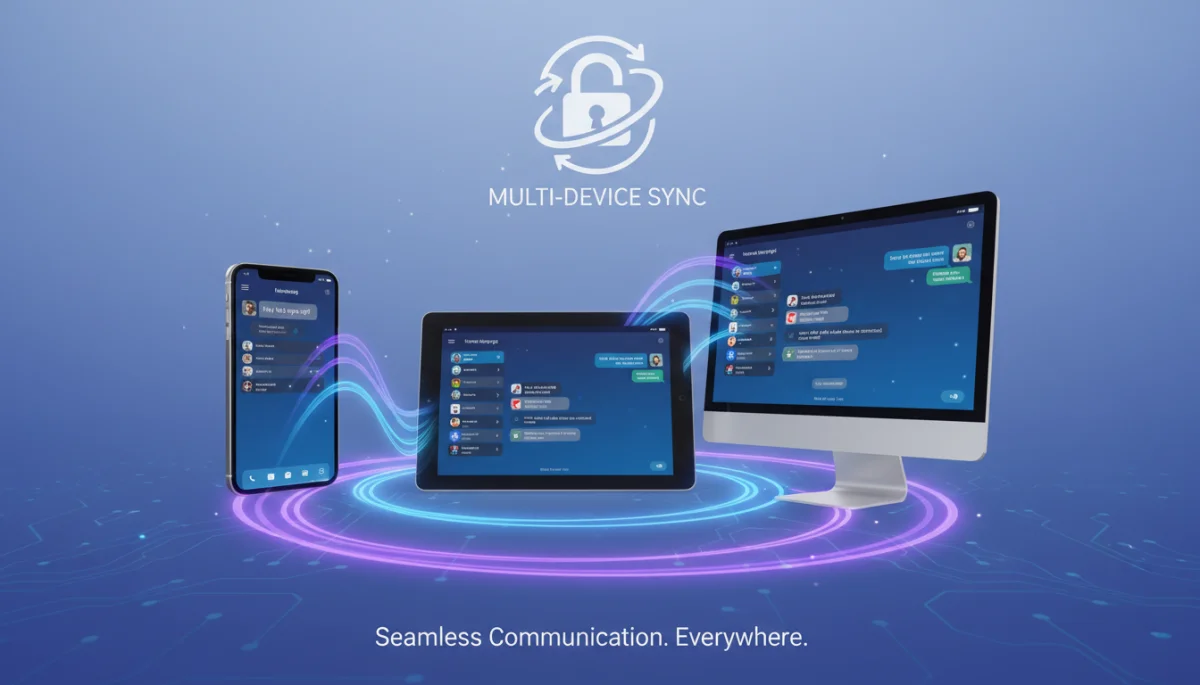
In the context of Telegram versus WhatsApp: groups, devices and encryption differences to understand, Telegram’s multi-device approach offers a more robust and flexible experience due to its cloud-based design. WhatsApp’s recent updates have closed the gap somewhat, but its architecture still retains a primary-device dependency for certain functionalities, making Telegram the clear winner for users prioritizing seamless access across all their gadgets.
Encryption Protocols and Privacy Implications
Encryption is arguably the most critical aspect when comparing messaging applications, directly impacting user privacy and data security. Both Telegram and WhatsApp employ encryption, but their methodologies, scope, and default settings vary significantly, leading to distinct privacy implications for users. Understanding these differences is paramount for anyone concerned about the confidentiality of their digital communications.
WhatsApp has adopted end-to-end encryption (E2EE) as a default for all communications, meaning only the sender and recipient can read the messages. Telegram, on the other hand, offers E2EE for ‘Secret Chats’ but uses client-server encryption for its regular cloud chats, which are synchronized across devices. This fundamental distinction is often a point of contention and confusion among users.
WhatsApp’s End-to-End Encryption
WhatsApp implemented E2EE for all messages, calls, and media in 2016, leveraging the Signal Protocol, which is widely regarded as one of the strongest and most reliable encryption protocols available. This means that:
- Default Encryption: All communications on WhatsApp are end-to-end encrypted by default, without any user action required.
- No Server Access: WhatsApp (and its parent company Meta) theoretically cannot access the content of messages, as the encryption keys are stored only on the users’ devices.
- Audited Protocol: The Signal Protocol has been extensively audited by security experts, reinforcing its credibility and strength.
The default nature of WhatsApp’s E2EE provides a high level of privacy assurance for the average user, who may not be technically savvy enough to enable specific security features. This ‘out-of-the-box’ security is a major selling point for WhatsApp, ensuring that all personal conversations are protected from eavesdropping, even by the company itself. However, metadata (who communicated with whom, when, and from where) is not encrypted and can be collected.
Telegram’s Encryption Approach
Telegram employs a dual-encryption strategy: client-server encryption for regular cloud chats and end-to-end encryption for ‘Secret Chats.’ This approach offers flexibility but also introduces a layer of complexity regarding privacy expectations.
- Cloud Chats (Client-Server Encryption): Regular chats on Telegram are encrypted in transit and stored encrypted on Telegram’s servers. This allows for seamless cloud synchronization across multiple devices. While Telegram claims strong encryption for these chats, it technically holds the encryption keys, meaning that in principle, they could access the content if compelled.
- Secret Chats (End-to-End Encryption): These are device-specific, not stored in the cloud, and offer E2EE. Features include self-destructing messages, screenshot prevention, and forwarding restrictions. This is Telegram’s most secure communication option.
- MTProto Protocol: Telegram uses its own custom-built encryption protocol, MTProto. While Telegram maintains its protocol is secure, some cryptographic experts have raised concerns about custom protocols not undergoing the same rigorous public scrutiny as widely adopted ones like Signal Protocol.
The main privacy implication here is that for regular Telegram chats, while encrypted, the E2EE is not default. Users must actively choose to initiate a ‘Secret Chat’ to achieve the same level of end-to-end encryption that WhatsApp provides by default. This distinction is crucial for users whose primary concern is preventing any third party, including the app provider, from accessing their communication content. The trade-off for Telegram’s cloud storage and multi-device convenience for regular chats is that it comes with a different encryption model than WhatsApp’s omnipresent E2EE.
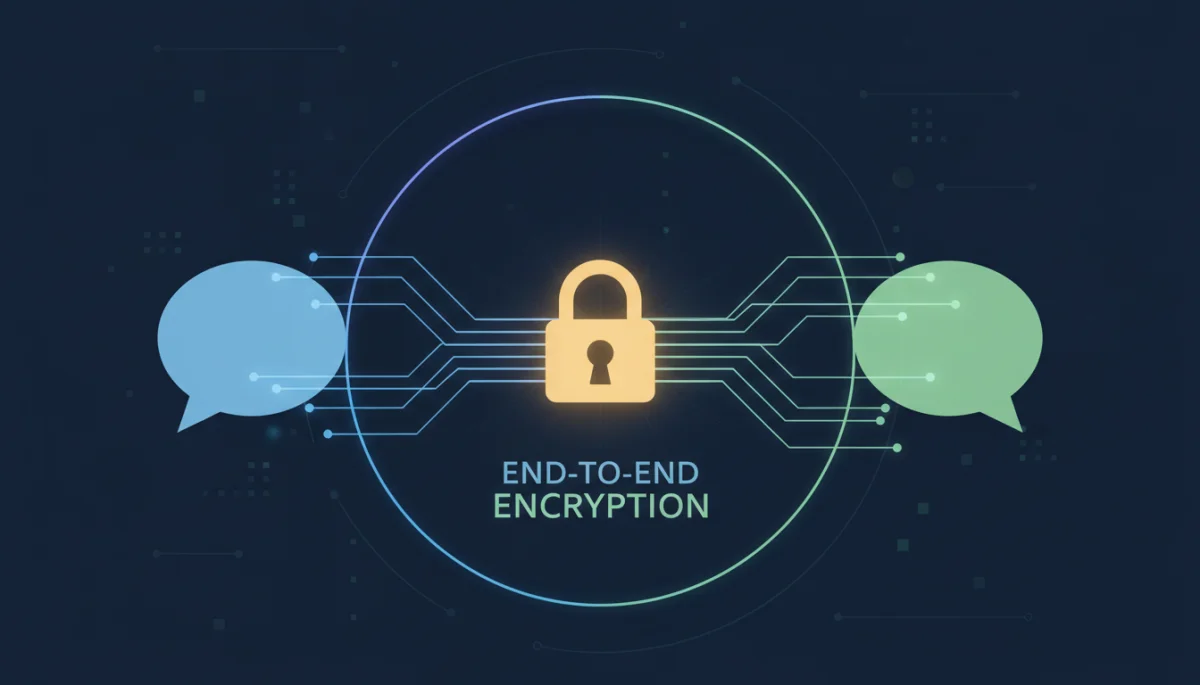
When evaluating Telegram versus WhatsApp: groups, devices and encryption differences to understand, the encryption paradigm is a key differentiator. WhatsApp offers default, universal E2EE using a well-vetted protocol. Telegram provides E2EE through opt-in ‘Secret Chats’ and relies on client-server encryption for its more convenient cloud-synced regular chats, a choice that necessitates users to be aware of the different security levels offered.
User Interface and Overall User Experience
Beyond the technical specifications of groups, devices, and encryption, the daily user experience is heavily influenced by the application’s interface and overall design. Both Telegram and WhatsApp strive for intuitive design, but they cater to slightly different user preferences and priorities. The aesthetic, navigation, and feature accessibility contribute significantly to how users perceive and interact with each platform.
WhatsApp has maintained a relatively consistent and minimalist interface over the years, focusing on simplicity and familiarity. Telegram, while also clean, often introduces more features and customization options, appealing to users who prefer more control and advanced functionalities within their messaging app.
WhatsApp’s User Interface
WhatsApp’s UI is renowned for its simplicity and ease of navigation, making it highly accessible to users of all technical proficiencies. Its design philosophy prioritizes straightforward communication without unnecessary clutter. Key characteristics include:
- Clean and Minimalist: The interface is generally uncluttered, with clear icons and a focus on the chat window.
- Familiar Layout: Many users find WhatsApp’s layout immediately familiar, contributing to its widespread adoption.
- Status Feature: A dedicated tab for ephemeral status updates, similar to Instagram stories, allowing users to share moments with their contacts.
While effective for its primary purpose, some users might find WhatsApp’s interface somewhat basic or lacking in advanced customization options. The focus is on core messaging, calls, and media sharing, with new features often integrated seamlessly without drastically altering the core experience. This consistency is a double-edged sword; it’s easy to use but might not excite power users looking for more dynamic interaction.
Telegram’s User Interface
Telegram’s UI, while also clean, tends to offer a richer set of features and customization options, often appealing to users who enjoy a more personalized and powerful messaging experience. Telegram frequently updates its app with new functionalities and visual tweaks.
- Feature-Rich: The interface often incorporates more features directly into the chat, such as polls, quizzes, and extensive media editing tools.
- Customization Options: Users have more control over themes, chat backgrounds, and even the app icon, allowing for greater personalization.
- Channels and Bots: The integration of channels for broadcasting and powerful bots is more prominent, offering diverse ways to interact beyond simple one-on-one chats.
- Folders for Chats: Telegram allows users to organize their chats into custom folders, a highly appreciated feature for those with many conversations.
Telegram’s interface often feels more modern and dynamic, with animations and subtle design elements that enhance the user experience. The ability to manage a vast number of chats through folders, coupled with powerful search capabilities, makes it particularly effective for users who engage in numerous group conversations or follow many channels. This emphasis on advanced features and customization positions Telegram as a more versatile tool for a broader range of communication styles.
When considering Telegram versus WhatsApp: groups, devices and encryption differences to understand from a UI perspective, WhatsApp champions simplicity and widespread familiarity, making it an excellent choice for basic, reliable communication. Telegram, conversely, offers a more feature-rich and customizable experience, catering to users who desire advanced functionalities, better organization, and a more dynamic interface. The choice ultimately depends on individual preferences for simplicity versus feature depth.
Media Sharing and File Size Limits
Sharing media and various file types is an integral part of modern messaging. Both Telegram and WhatsApp facilitate the exchange of photos, videos, documents, and other files, but they differ significantly in their file size limits, compression methods, and storage approaches. These distinctions can heavily influence user convenience, especially for those who frequently share large files or high-quality media.
WhatsApp, traditionally, has imposed stricter limits on file sizes and often applies compression to media, which can sometimes reduce quality. Telegram, from its inception, has been known for its generous file size limits and its ability to send files without compression, preserving original quality.
WhatsApp’s Media Sharing Experience
WhatsApp’s media sharing is designed for quick and efficient transmission, especially over mobile networks. However, this often comes with certain limitations:
- Image and Video Compression: WhatsApp typically compresses images and videos before sending them, which can result in a noticeable drop in quality, though it speeds up delivery and saves data.
- File Size Limits: For media, the limit is generally around 16 MB (though this can vary slightly), and for documents, it’s up to 100 MB. This is sufficient for most casual sharing but restrictive for larger files.
- Limited File Types: While it supports common document types, sending less common file formats can sometimes be an issue.
The compression applied to media on WhatsApp is often a point of frustration for users who prioritize original quality for photos and videos. While it helps in conserving storage and data, it means WhatsApp might not be the ideal platform for professional photographers or videographers sharing their work. The file size limits also mean that users often have to resort to external cloud storage services for sharing larger documents or high-resolution media.
Telegram’s Media Sharing Experience
Telegram stands out with its highly permissive approach to media and file sharing, making it a favorite for users who need to exchange large files or maintain original media quality. Its cloud-based storage system plays a significant role in this capability.
- No Compression Option: Telegram allows users to send photos and videos without compression, preserving their original quality. Users can choose to send as ‘file’ instead of ‘photo/video’ to guarantee no compression.
- Generous File Size Limits: Telegram allows sharing files up to 2 GB in size, which is substantially higher than WhatsApp’s limits. This accommodates large documents, software, or high-definition video files.
- Cloud Storage: All shared media and files in regular chats are stored in Telegram’s cloud, accessible from any device, effectively turning Telegram into a personal cloud storage solution for shared content.
- Wide Range of File Types: Telegram supports sharing virtually any file type, making it a versatile tool for various professional and personal needs.
The 2 GB file limit and the option to send uncompressed media are significant advantages for Telegram. This makes it an excellent choice for collaborative projects, sharing high-quality personal memories, or distributing large software updates. The integrated cloud storage also means that users don’t have to worry about media taking up space on their device or losing access to old files if they switch phones.
In the context of Telegram versus WhatsApp: groups, devices and encryption differences to understand, Telegram clearly offers a more robust and flexible solution for media and file sharing, especially for larger files and those prioritizing original quality. WhatsApp’s approach is more suited for casual, quick sharing where data efficiency and speed are prioritized over media fidelity and large file capabilities.
Privacy Policies and Data Handling Practices
The privacy policies and data handling practices of messaging apps are increasingly under scrutiny, particularly in an era where data breaches and concerns about corporate surveillance are commonplace. The approaches taken by Telegram and WhatsApp in this regard are notably different, influencing user trust and the perception of each platform’s commitment to privacy.
WhatsApp, being owned by Meta (Facebook), has faced significant criticism regarding its data sharing practices with its parent company. Telegram, on the other hand, has positioned itself as a privacy-focused alternative, though its claims have also been subject to debate and examination.
WhatsApp’s Privacy Policy
WhatsApp’s privacy policy has been a source of controversy, particularly after updates that aimed to clarify data sharing with Meta. While WhatsApp messages themselves are end-to-end encrypted, other forms of data are collected and can be shared:
- Metadata Collection: WhatsApp collects metadata such as phone numbers, device information, IP addresses, and activity logs (who, when, how often).
- Business Interactions: Conversations with businesses on WhatsApp might not be end-to-end encrypted if the business uses Meta’s hosting services, potentially allowing Meta to access these interactions.
- Data Sharing with Meta: While personal messages remain private, WhatsApp shares various data points with Meta’s other products (Facebook, Instagram) for purposes like advertising and service improvement, a practice that has caused significant user backlash and migrations.
The primary concern with WhatsApp’s privacy policy stems from its association with Meta and the broader ecosystem of data collection and targeted advertising. Despite the strong end-to-end encryption for personal chats, the collection and potential sharing of metadata and business communication data with Meta raise questions about overall user privacy. This has led many users to seek alternatives that promise a more stringent approach to data handling, especially regarding corporate affiliations.
Telegram’s Privacy Policy
Telegram has built its brand around privacy and security, often highlighting its independence and commitment to user data protection. However, its privacy policy and data handling also have nuances:
- Minimal Data Collection: Telegram claims to collect minimal user data, primarily focusing on information necessary for its cloud-based services, such as phone numbers and contact lists (with user permission).
- No Ad Targeting: Telegram has historically stated that it does not use user data for advertising purposes, a direct contrast to Meta’s model.
- Government Requests: Telegram has a policy of not disclosing data to third parties, including governments, unless a court order confirms that a suspect is a terrorist and only then disclosing IP addresses and phone numbers. They claim this has never happened.
- Cloud Chat Data: While regular cloud chats are encrypted on Telegram’s servers, the company technically holds the encryption keys, meaning it could potentially access this data if compelled, a point of concern for some privacy advocates.
Telegram’s privacy stance is generally seen as stronger than WhatsApp’s, particularly due to its independence from a large advertising-driven conglomerate and its public commitment to resisting data requests. However, the fact that regular cloud chats are not end-to-end encrypted by default and are stored on their servers means that users must trust Telegram’s internal security and its stated policies regarding data access. For maximum privacy on Telegram, users must consciously opt for ‘Secret Chats.’
When analyzing Telegram versus WhatsApp: groups, devices and encryption differences to understand from a privacy perspective, WhatsApp offers default E2EE for messages but faces scrutiny over its metadata collection and data sharing with Meta. Telegram provides a strong privacy narrative, minimal data collection, and offers E2EE via ‘Secret Chats,’ but its regular cloud chats rely on trust in the company’s server-side encryption and policies. The choice often comes down to one’s comfort level with Meta’s data practices versus Telegram’s cloud-based approach and custom encryption protocol.
Bots, Channels, and Extended Functionality
Modern messaging apps are increasingly becoming platforms for more than just person-to-person communication; they are evolving into ecosystems that offer a wide array of extended functionalities. Bots and channels are two such features that significantly enhance the utility of these applications, transforming them into versatile tools for information dissemination, automation, and community engagement. Telegram has been a pioneer in this space, while WhatsApp has started to integrate similar, albeit more limited, functionalities.
Telegram’s open API for bots and its robust channel feature have created a dynamic environment for developers and content creators. WhatsApp, in contrast, has focused more on business accounts and a more controlled environment for broadcasting, reflecting its emphasis on direct communication rather than broad public interaction.
Telegram’s Bots and Channels Ecosystem
Telegram’s bot platform is one of its most distinctive features, allowing users to interact with automated programs directly within the app for a multitude of purposes. Channels provide a powerful one-to-many broadcasting tool. This ecosystem greatly expands Telegram’s utility:
- Extensive Bot API: Developers can create sophisticated bots for tasks like news delivery, weather updates, polls, games, file conversion, and even advanced group moderation.
- Customizable Bots: Bots can be highly customized to perform specific functions, from simple commands to complex integrations with external services.
- Public and Private Channels: Channels allow administrators to broadcast messages to an unlimited number of subscribers. They can be public (searchable) or private (invite-only), serving as powerful tools for news outlets, businesses, and communities.
- Interactive Elements: Bots and channels often integrate interactive elements like inline keyboards, quick reply buttons, and rich media, enhancing user engagement.
The breadth and depth of Telegram’s bot and channel ecosystem are unmatched by most other messaging apps. This functionality transforms Telegram from a simple chat app into a comprehensive platform for information consumption, entertainment, and automated services. For users who value automation, curated content, and large-scale broadcasting capabilities, Telegram offers a much richer experience.
WhatsApp’s Business Accounts and Broadcast Lists
WhatsApp, while not having an open bot platform like Telegram, has developed features primarily aimed at businesses and one-way communication to a defined audience. These include WhatsApp Business accounts and broadcast lists:
- WhatsApp Business: A separate app designed for small businesses to interact with customers, offering tools like automated greeting messages, quick replies, and product catalogs.
- Broadcast Lists: This feature allows users to send a message to multiple contacts simultaneously, but only those who have the sender’s number saved in their contacts will receive it. It functions more like a mass BCC email.
- Limited API Access: WhatsApp Business API is available for larger enterprises, enabling integration with customer service platforms, but it’s not as open or versatile for general bot development as Telegram’s API.
WhatsApp’s approach to extended functionality is more controlled and business-centric. While WhatsApp Business is a powerful tool for customer engagement, it doesn’t offer the same flexibility or community-building features as Telegram’s channels and general-purpose bots. Broadcast lists are a simple one-to-many tool but lack the public discoverability and subscriber management features of Telegram channels.
In the ongoing discussion of Telegram versus WhatsApp: groups, devices and encryption differences to understand, Telegram clearly leads in terms of extended functionality through its open bot platform and versatile channels. These features cater to a wide range of use cases beyond simple messaging, offering automation, content distribution, and large-scale community management. WhatsApp’s efforts in this area are more tailored to business interactions and private broadcasting, reflecting its core focus on personal and small-group communication.
The Ecosystems and Future Directions
The choice between Telegram and WhatsApp is not merely about a static set of features; it’s also about the evolving ecosystems and the future directions each platform is heading. Both applications are continuously updated, introducing new functionalities, addressing security concerns, and adapting to user demands. Understanding their long-term visions can help users anticipate future changes and align with the platform that best suits their evolving communication needs.
WhatsApp, backed by Meta, is increasingly integrating with the broader Meta ecosystem, focusing on e-commerce, business communication, and potentially interoperability with other Meta messaging services. Telegram, driven by its founder Pavel Durov, maintains a focus on user freedom, privacy, and innovation, often experimenting with new technologies like blockchain and decentralized solutions.
WhatsApp’s Ecosystem and Future
WhatsApp’s future is deeply intertwined with Meta’s strategic vision for a connected digital world, often referred to as the ‘metaverse.’ This involves integrating messaging with commerce, payments, and potentially more immersive social experiences.
- Commerce and Payments: WhatsApp is expanding its in-app shopping capabilities and payment features in various regions, aiming to become a comprehensive platform for business-to-consumer interactions.
- Meta Integration: Expect deeper integration with Facebook and Instagram, potentially allowing for cross-app messaging and shared features, further solidifying Meta’s social graph.
- Enterprise Solutions: Continued development of WhatsApp Business API for larger enterprises, offering more sophisticated tools for customer support and marketing.
- Focus on Stability and Scale: Given its massive user base, WhatsApp’s development often prioritizes stability, reliability, and incremental improvements that benefit a broad audience.
The direction of WhatsApp suggests a move towards becoming an all-encompassing communication and commerce hub, especially within the Meta universe. While this offers convenience for some, it also reinforces concerns about data centralization and Meta’s influence over personal data. The ongoing challenge for WhatsApp will be to balance these commercial ambitions with user privacy expectations.
Telegram’s Ecosystem and Future
Telegram’s future direction appears to be driven by a commitment to open technology, user privacy, and potentially decentralized solutions. Its development often mirrors a more experimental and community-driven approach, distinct from corporate-backed platforms.
- Decentralization Efforts: Telegram has explored concepts like TON (Telegram Open Network) and blockchain-based features, indicating a potential future with more decentralized services and digital currencies.
- Premium Subscriptions: The introduction of Telegram Premium offers advanced features, faster downloads, and exclusive stickers, providing a revenue model independent of advertising or data sales.
- Open Source and API: Maintaining an open API and open-source client applications fosters innovation and allows for community contributions, aligning with a vision of user-controlled communication.
- Continued Feature Innovation: Telegram consistently introduces novel features, often setting trends that other messaging apps eventually adopt, reinforcing its image as an innovator.
Telegram’s future seems oriented towards building a more resilient, feature-rich, and potentially decentralized communication platform. Its independence from a large tech conglomerate gives it the freedom to experiment with cutting-edge technologies and prioritize user-centric features without immediate commercial pressures from advertisers. The challenge for Telegram lies in sustaining its growth and infrastructure while maintaining its core principles of privacy and openness.
In concluding the comparison of Telegram versus WhatsApp: groups, devices and encryption differences to understand, it’s clear that both apps are on distinct evolutionary paths. WhatsApp is solidifying its role as a global communication and commerce platform within the Meta ecosystem, prioritizing broad accessibility and business integration. Telegram is forging a path of innovation, privacy, and potentially decentralization, catering to users who seek advanced features and a more independent communication experience. The choice between them increasingly depends on not just current features, but also on which future vision aligns best with individual values and needs.
| Feature Category | Key Differences |
|---|---|
| Group Capacity & Tools | Telegram supports up to 200k members with advanced admin controls; WhatsApp up to 1024 with basic tools. |
| Multi-Device Access | Telegram offers unlimited, cloud-synced devices; WhatsApp links up to 4 companion devices, less independent. |
| Encryption Method | WhatsApp uses default E2EE for all chats; Telegram offers E2EE only in opt-in ‘Secret Chats.’ |
| File Sharing Limits | Telegram allows files up to 2GB with no compression; WhatsApp limits to 100MB and often compresses media. |
Frequently Asked Questions About Messaging Apps
Telegram offers end-to-end encryption (E2EE) in its ‘Secret Chats,’ which are highly secure. However, its regular cloud chats use client-server encryption, meaning Telegram technically has access. WhatsApp provides default E2EE for all communications, using the Signal Protocol, which is widely vetted. The perception of ‘more secure’ depends on whether you prioritize default E2EE or trust Telegram’s cloud security model.
Telegram is generally superior for large groups and communities. Its supergroups can host up to 200,000 members, and it offers extensive admin tools, public channels, and robust bot integration. WhatsApp groups are limited to 1024 members and have more basic administrative features, making them less suitable for massive or public community management.
Yes, but with differences. Telegram allows you to log in on an unlimited number of devices simultaneously, with all chats syncing via its cloud. WhatsApp recently updated to support up to four linked companion devices independently, but some features still require the primary phone, and it’s not as natively seamless as Telegram’s cloud-based approach.
While WhatsApp messages are E2EE, the app collects metadata (who, when, where) and shares certain data with its parent company, Meta, for purposes like advertising. This data sharing, especially concerning business interactions, has raised significant privacy concerns among users who prefer not to have their activity linked to a larger advertising ecosystem.
Telegram’s architecture is cloud-based, allowing it to store and synchronize files up to 2 GB without compression. WhatsApp, historically more device-centric and focused on data efficiency over mobile networks, imposes stricter limits (typically 100 MB for documents, 16 MB for media) and often compresses media, which reduces file size but can lower quality.
Conclusion
Navigating the landscape of modern messaging applications requires a clear understanding of their core functionalities, especially when considering Telegram versus WhatsApp: groups, devices and encryption differences to understand. WhatsApp excels in widespread adoption, default end-to-end encryption for all chats, and a simple, intuitive user interface that appeals to a broad audience. Its recent improvements in multi-device support have made it more versatile, and its integration with Meta’s ecosystem points towards a future rich in commerce and business interactions. Telegram, conversely, stands out with its superior group management capabilities for large communities, highly flexible multi-device access through its cloud-based architecture, and a strong emphasis on user customization and extended functionalities via bots and channels. While its end-to-end encryption is opt-in for ‘Secret Chats,’ its overall privacy narrative and commitment to avoiding data for advertising resonate with users seeking more control and independence. Ultimately, the choice between these two powerful communication tools hinges on individual priorities: whether you value universal default encryption and simplicity, or advanced features, large-scale community tools, and a more independent ecosystem. Both platforms continue to evolve, shaping the future of digital communication in distinct yet impactful ways.
