Share Photos Securely: Avoid Exposing Details in Messaging Apps

Effectively sharing photos in messaging apps while safeguarding personal privacy involves utilizing app-specific privacy settings, employing metadata removal tools, and adopting cautious sharing habits to prevent unintended exposure of sensitive information.
In today’s hyper-connected world, knowing how to share photos in messaging apps without exposing unnecessary details is more critical than ever. Every snapshot we send can potentially reveal more than just the image itself, from location data to personal identifiers. This guide aims to equip you with the knowledge and tools to ensure your digital memories remain private and secure, letting you share moments without compromising your personal space.
Understanding the Risks of Photo Sharing
When you share a photo through a messaging app, you might inadvertently be sharing a wealth of hidden information. This data, often embedded within the image file itself, can paint a detailed picture of your habits, location, and even the device you use. Recognizing these inherent risks is the first step toward more secure digital communication.
Exif Data: The Hidden Storyteller
Most modern cameras, including those on smartphones, embed what’s known as Exchangeable Image File Format (Exif) data into every photo. This metadata can include the date and time the photo was taken, the camera model, lens information, and crucially, GPS coordinates indicating the exact location where the picture was captured. Sharing photos without stripping this data can inadvertently reveal your home address, workplace, or frequent haunts.
- Location Information: Precise GPS coordinates can be extracted, pinpointing where a photo was taken.
- Device Details: The make and model of your camera or smartphone are often recorded.
- Date and Time: Exact timestamps can reveal your routine or when you were at a specific place.
- Camera Settings: Aperture, shutter speed, and ISO settings are also typically stored.
Beyond Exif data, the background of your photos can also expose details. A picture taken in your home might reveal unique decor, street signs visible through a window, or even identifiable personal items. These seemingly innocuous details can be pieced together by malicious actors to build a profile or target you for scams.
Understanding these risks isn’t about fostering paranoia but about promoting informed sharing. By becoming aware of what your photos might be revealing, you can take proactive steps to protect your privacy and ensure that only the intended visual content is communicated.
Leveraging App-Specific Privacy Settings
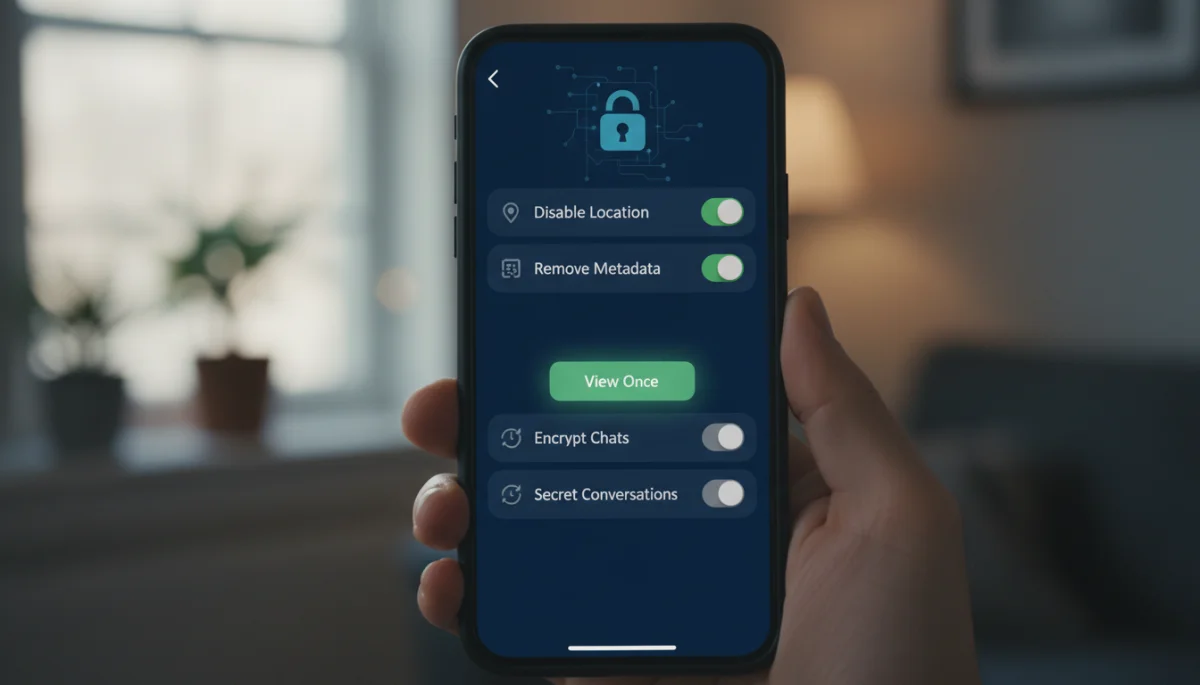
Many messaging applications have built-in privacy features designed to give you more control over the data you share. Familiarizing yourself with these settings is a fundamental aspect of learning how to share photos in messaging apps without exposing unnecessary details. These features can range from disappearing messages to options that strip metadata before sending.
WhatsApp and Telegram: Privacy-Focused Features
Both WhatsApp and Telegram offer features that enhance photo sharing privacy. WhatsApp, for instance, introduced ‘View Once’ messages, where photos and videos disappear after the recipient opens them, and they cannot be saved or forwarded. Telegram has a similar ‘Secret Chat’ feature, which includes self-destructing media and screenshot prevention.
- View Once (WhatsApp): Ensures photos are seen only once, preventing permanent storage on the recipient’s device.
- Secret Chats (Telegram): Provides end-to-end encryption, self-destruct timers for media, and alerts for screenshots.
- Disappearing Messages: Both apps allow you to set messages, including photos, to automatically delete after a set period.
These features, while not foolproof, significantly reduce the chances of your photos being stored indefinitely or shared beyond your control. Always ensure you’re using the latest version of the app to access the most up-to-date privacy enhancements.
Beyond these specific features, it’s also wise to review your app’s general privacy settings. This includes who can see your profile picture, status updates, and ‘last seen’ information. A comprehensive review of these settings ensures that your overall presence on the app aligns with your desired level of privacy.
Removing Metadata Before Sharing
One of the most effective ways to protect your privacy when sharing photos is to manually remove or strip metadata before sending. This process ensures that sensitive information like GPS coordinates, camera model, and timestamps are not inadvertently shared with your images. Several tools and methods are available for this crucial step in learning how to share photos in messaging apps without exposing unnecessary details.
Built-in Smartphone Tools
Many modern smartphones offer built-in functionalities to remove metadata directly from the photo gallery. On iPhones, when sharing a photo, you can often tap ‘Options’ at the top of the share sheet and toggle off ‘Location’ and ‘All Photos Data’. Android devices may have similar options within their gallery apps or share menus, though the exact steps can vary by manufacturer and OS version.
- iOS: Use the ‘Options’ menu in the share sheet to deselect ‘Location’ and ‘All Photos Data’.
- Android: Look for ‘Remove location data’ or similar privacy options within your photo editor or share menu.
- Screenshotting: Taking a screenshot of a photo can sometimes strip metadata, but it also reduces image quality.
While convenient, these built-in tools might not always remove all types of metadata. For more thorough cleaning, dedicated third-party applications can be beneficial.
Third-Party Metadata Removal Tools
Several apps and online services specialize in stripping all forms of Exif data from images. These tools offer a more comprehensive solution, ensuring that no hidden information is left behind. Examples include ExifTool (a command-line utility for advanced users), and various mobile apps available on app stores that provide a user-friendly interface for metadata removal.
When using third-party tools, always ensure they are reputable and have good reviews to avoid introducing new security risks. Once metadata is removed, the photo is essentially ‘clean’ of hidden information, allowing you to share it with greater peace of mind.
Practicing Mindful Sharing Habits
Beyond technical solutions, adopting mindful sharing habits is paramount for truly understanding how to share photos in messaging apps without exposing unnecessary details. This involves a conscious evaluation of what you’re sharing, with whom, and the potential implications of that sharing. It’s about developing a personal privacy mindset for your digital interactions.
Consider the Audience and Context
Before hitting ‘send,’ always consider who will see the photo and in what context. A casual group chat with close friends might have different privacy implications than a public social media post or a message to a new acquaintance. Adjust your sharing practices based on the trustworthiness of the recipient and the potential for the image to be reshared.
- Private vs. Public: Distinguish between private communications and public platforms.
- Recipient Trust: Only share sensitive content with individuals you implicitly trust.
- Resharing Potential: Assume anything you send can be reshared, even with ‘View Once’ features.
If you’re unsure about sharing a particular photo, it’s often best to err on the side of caution and not send it. A moment of hesitation can prevent a lifetime of privacy concerns.
Reviewing Backgrounds and Details
Always take a moment to scrutinize the background and any discernible details within your photos before sharing. Look for anything that could reveal your location, personal belongings, or the identity of others without their consent. This includes street numbers, distinctive landmarks, open windows showing interiors, or documents visible on a table.
Cropping, blurring, or editing out sensitive elements can go a long way in protecting your privacy. Many photo editing apps offer tools to blur faces, license plates, or specific areas of an image. Making these small adjustments can significantly reduce your digital footprint and ensure your photos only convey what you intend.
Utilizing Secure Messaging Platforms
The choice of messaging app itself plays a significant role in how securely you can share photos. Different platforms offer varying levels of encryption and privacy protections. Opting for apps known for their robust security features is a key component of learning how to share photos in messaging apps without exposing unnecessary details.

End-to-End Encryption
Prioritize messaging apps that offer end-to-end encryption (E2EE) by default for all communications, including photos. E2EE ensures that only the sender and intended recipient can read the messages, and no one in between, not even the app provider, can access the content. Signal, for example, is widely lauded for its strong E2EE implementation.
- Signal: Renowned for its strong, default end-to-end encryption for all message types.
- WhatsApp: Offers E2EE for all chats, including media, though its parent company Meta has faced privacy concerns.
- Telegram: Provides E2EE for ‘Secret Chats’ but not for regular cloud chats by default.
While E2EE protects the content of your messages in transit, it doesn’t automatically strip metadata from photos. Therefore, combining E2EE apps with metadata removal practices offers the highest level of protection.
App Permissions and Data Handling
Regularly review the permissions you grant to your messaging apps. Does an app truly need access to your precise location, contacts, or microphone for its core functionality? Limiting unnecessary permissions can reduce the amount of data the app collects about you, even if that data isn’t directly shared with your photos.
Furthermore, understand how the app handles your data. Does it store your photos on its servers? For how long? Are they encrypted at rest? These are critical questions to consider when evaluating the overall privacy posture of a messaging platform. Choosing apps with a strong commitment to user privacy and transparent data policies is always recommended.
Educating Yourself and Others
Digital privacy is a collective responsibility. While individual actions are crucial, educating yourself and those around you about secure sharing practices amplifies the positive impact. Understanding the nuances of how to share photos in messaging apps without exposing unnecessary details helps create a more secure digital environment for everyone.
Staying Informed on Privacy Best Practices
Technology evolves rapidly, and so do the methods for protecting digital privacy. Regularly seek out reputable sources for updates on cybersecurity, app privacy features, and data protection regulations. Blogs, cybersecurity news outlets, and official government privacy guidelines can be excellent resources for staying informed.
- Follow Tech News: Keep up with updates on app features and security vulnerabilities.
- Read Privacy Policies: Understand how different apps handle your data.
- Engage with Experts: Learn from cybersecurity professionals and privacy advocates.
Continuous learning ensures that your privacy strategies remain effective against emerging threats. Treat digital privacy as an ongoing process, not a one-time setup.
Encouraging Secure Habits in Your Network
Share your knowledge about secure photo sharing with friends, family, and colleagues. Explain why it’s important to remove metadata, use secure messaging features, and be mindful of what’s in the background of their photos. Leading by example can encourage others to adopt better digital hygiene, strengthening the overall security of your communication network.
Gentle reminders and practical tips can make a big difference. For instance, suggesting a specific app feature or demonstrating how to strip metadata can be more effective than simply stating ‘be careful.’ By fostering a culture of privacy awareness, you contribute to a safer digital community for everyone involved in your exchanges.
Handling Sensitive Content and Children’s Photos
When it comes to sharing sensitive content or photos of children, the stakes for privacy are significantly higher. Extreme caution and specific protocols are essential to ensure maximum protection. This section delves into specialized considerations for safeguarding such delicate images, reinforcing the principles of how to share photos in messaging apps without exposing unnecessary details in the most critical scenarios.
Strict Policies for Sensitive Images
For any content that could be considered sensitive—be it personal documents, medical information, or intimate moments—the default approach should be to avoid sharing it through messaging apps altogether. If sharing is absolutely necessary, use the most secure methods available, such as end-to-end encrypted platforms with ‘view once’ functionality, and ensure metadata is meticulously removed. Consider alternative, more secure methods like encrypted file transfer services if the content is highly confidential.
- Avoid if Possible: The safest option for highly sensitive content is not to share it digitally.
- Use ‘View Once’: If sharing, utilize features that prevent permanent storage by the recipient.
- Verify Recipient: Double-check you are sending to the correct, trusted individual.
- Consider Alternatives: For critical data, use dedicated secure file transfer services.
Even with the best precautions, always remember that once a digital image leaves your device, you lose a significant degree of control over it. Therefore, a careful assessment of necessity versus risk is paramount.
Protecting Children’s Digital Footprint
Sharing photos of children requires an even higher level of vigilance due to their vulnerability and inability to consent. Parents and guardians should establish strict rules for sharing these images. This includes never posting photos of children publicly, always asking for consent from other parents before sharing photos that include their children, and carefully reviewing backgrounds for any identifying information.
Furthermore, be mindful of what details are visible in the photos themselves. Avoid images that show children in school uniforms with visible logos, house numbers, or unique playground features that could pinpoint their location. Discuss with family members and friends the importance of these guidelines to maintain a consistent approach to protecting children’s privacy online.
By implementing these stringent measures for sensitive content and children’s photos, you significantly reduce the risk of unintended exposure and contribute to a safer digital environment for the most vulnerable individuals.
| Key Aspect | Description |
|---|---|
| Metadata Removal | Strip hidden GPS, device, and timestamp data from photos before sending. |
| Privacy Settings | Utilize app features like ‘View Once’ and disappearing messages for control. |
| Mindful Sharing | Always review backgrounds and consider the audience before sharing photos. |
| Secure Platforms | Opt for messaging apps with strong end-to-end encryption by default. |
Frequently Asked Questions About Secure Photo Sharing
Exif data is metadata embedded in photo files, containing details like location, camera model, and timestamp. It’s a privacy concern because it can inadvertently reveal sensitive personal information about where and when a photo was taken.
Some messaging apps, like WhatsApp and Signal, do remove certain metadata by default when you send photos. However, it’s not universal, and for complete assurance, manual metadata stripping or using dedicated tools is recommended.
‘View Once’ messages are a feature in some apps where photos or videos disappear after being opened by the recipient. They enhance privacy by preventing the content from being saved, forwarded, or permanently stored on the recipient’s device.
While taking a screenshot can often strip some metadata, it’s not a foolproof method and significantly reduces image quality. Dedicated metadata removal tools or app-specific privacy options are more reliable and preserve photo clarity.
Reviewing backgrounds is crucial because they can reveal identifying details like street signs, house numbers, or unique personal belongings. These visual cues can inadvertently expose your location or personal information to unintended audiences.
Conclusion
Mastering how to share photos in messaging apps without exposing unnecessary details is an essential skill in our digitally interconnected world. By understanding the hidden data within images, leveraging app-specific privacy settings, actively removing metadata, and cultivating mindful sharing habits, you can significantly enhance your digital security. Prioritizing secure messaging platforms and educating your network further strengthens this protective shield, ensuring that your precious memories are shared safely and your personal privacy remains intact.
