Discord vs. WhatsApp: Choosing Community Platforms
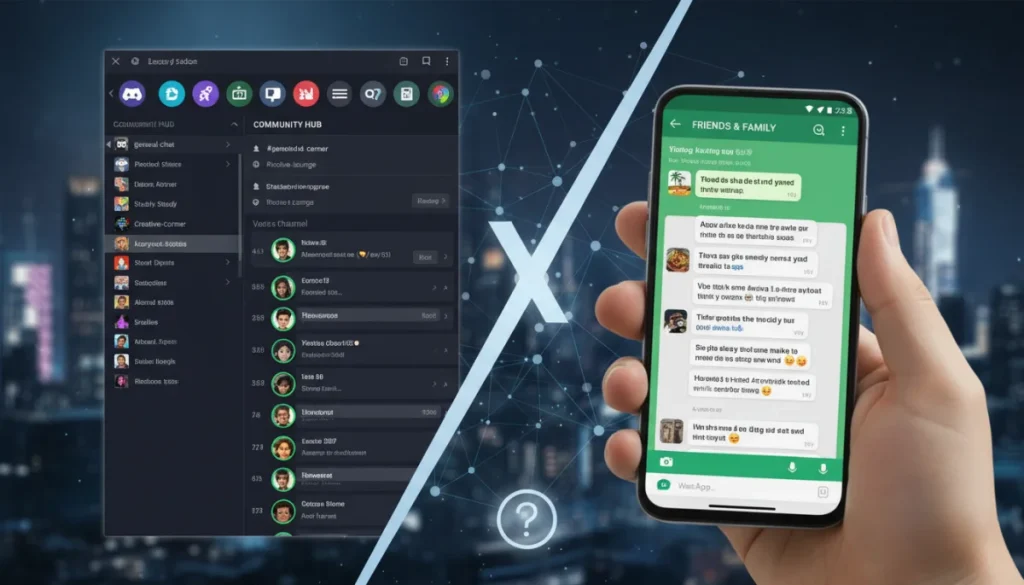
Choosing the optimal platform for an ongoing community often comes down to understanding the distinct strengths of Discord versus WhatsApp groups, each offering unique features for communication and engagement.
When it comes to fostering an ongoing digital community, the choice between platforms like Discord versus WhatsApp groups can significantly impact communication, engagement, and overall user experience. Both applications offer robust features for group interaction, yet they cater to different needs and community dynamics. Understanding their core differences is crucial for anyone looking to establish or migrate a thriving online space.
Understanding the Core Philosophy of Each Platform
Before diving into specific features, it’s essential to grasp the fundamental design philosophies behind Discord and WhatsApp. These underlying principles dictate how each platform approaches communication, community structure, and user interaction, directly influencing their suitability for various types of groups.
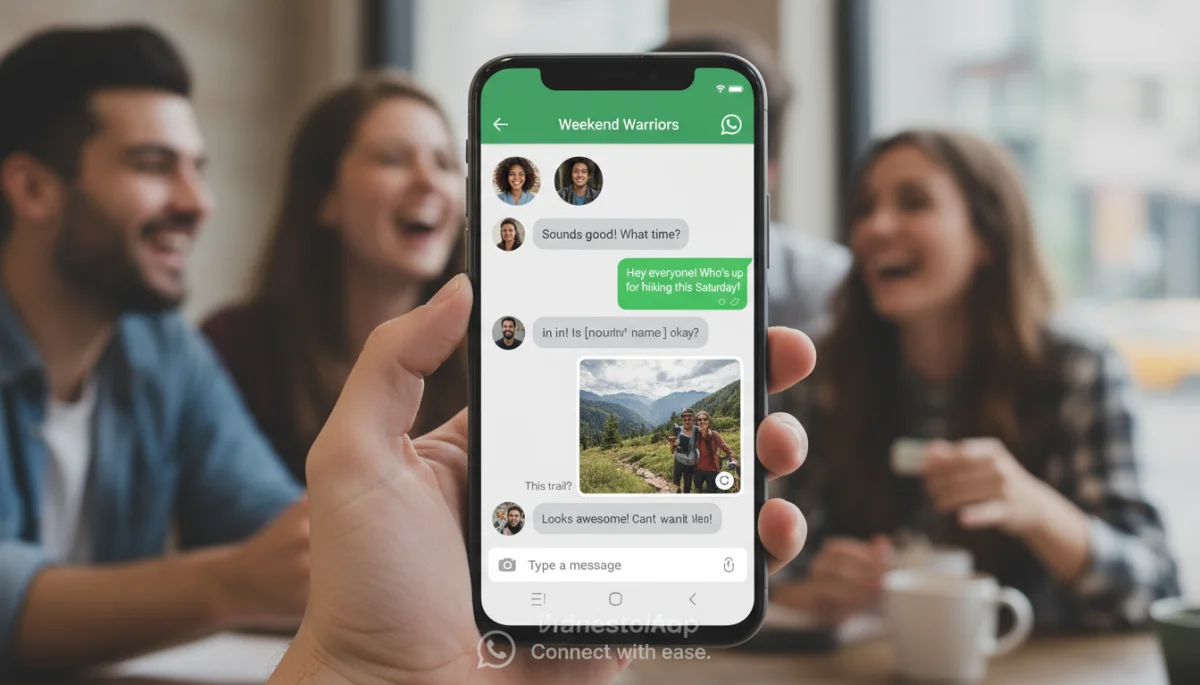
WhatsApp, initially designed as a simple, secure messaging app, has evolved to include group functionalities that mimic real-world social circles. Its strength lies in its ubiquity and ease of use, making it a go-to for casual communication among friends, family, and small interest groups. It prioritizes direct, synchronous communication, much like a traditional chat room, but with the added convenience of media sharing and voice/video calls.
Discord’s Community-Centric Design
Discord, on the other hand, was built from the ground up with communities in mind, particularly those centered around gaming. Its architecture supports a more complex, multi-faceted approach to interaction, allowing for diverse channels and roles within a single server. This structure enables a highly organized and customizable environment, suitable for larger, more specialized communities.
- Server-based structure: Organizes communities into distinct servers.
- Multiple channels: Allows for dedicated text, voice, and video channels for different topics.
- Role management: Offers granular control over member permissions and access.
- Integrated voice chat: Seamless, always-on voice communication.
In conclusion, WhatsApp excels in simplicity and widespread adoption for personal groups, while Discord offers a sophisticated, structured environment ideal for thematic and larger communities. The choice often depends on whether your community values quick, informal chats or a more organized, multi-layered interaction experience.
Feature Set Comparison: What Each Offers
When evaluating Discord versus WhatsApp groups for an ongoing community, a detailed look at their respective feature sets is paramount. While both facilitate group communication, their tools for engagement, organization, and moderation differ significantly, impacting the potential for community growth and maintenance.
WhatsApp provides a straightforward group chat experience. Members can send text messages, share photos, videos, documents, and voice notes. It supports group voice and video calls, which are convenient for smaller, spontaneous interactions. The broadcast list feature allows one-way communication to a large audience, but this doesn’t foster two-way community engagement.
Discord’s Comprehensive Community Tools
Discord’s feature set is far more extensive, designed to support complex community structures. Servers can have numerous text channels dedicated to specific topics, preventing information overload. Voice channels offer persistent, drop-in audio communication, perfect for collaborative activities or casual hangouts.
- Text channels: Dedicated spaces for typed conversations on specific subjects.
- Voice channels: Real-time audio communication with varying capacities.
- Video calls and screen sharing: Available within voice channels or direct messages.
- Bots and integrations: Customizable automation and integration with other services.
- Events and scheduling: Built-in tools for organizing community activities.
Beyond basic communication, Discord’s rich ecosystem of bots allows for automation, moderation, games, and much more, significantly enhancing the community experience. These tools can automate welcome messages, enforce rules, play music, or even host interactive games, adding layers of engagement that WhatsApp simply cannot match.
WhatsApp’s simplicity means it has fewer features, which can be a benefit for users seeking an uncluttered experience. However, for communities requiring structured discussions, diverse media types, and robust moderation, Discord’s comprehensive toolkit offers a more scalable and engaging solution. The decision here hinges on the complexity and interactive needs of your community.
Privacy and Security Considerations
In the digital age, privacy and security are non-negotiable, especially when managing an online community. The approaches taken by Discord versus WhatsApp groups in protecting user data and communications present a critical differentiator that community leaders must consider.
WhatsApp boasts end-to-end encryption (E2EE) for all messages and calls, meaning only the sender and receiver can read or listen to their content. This is a significant privacy advantage for personal and sensitive communications. However, metadata (who communicates with whom, when, and from where) is still collected, and the platform is owned by Meta (Facebook), which raises concerns for some users about data sharing practices across its ecosystem.
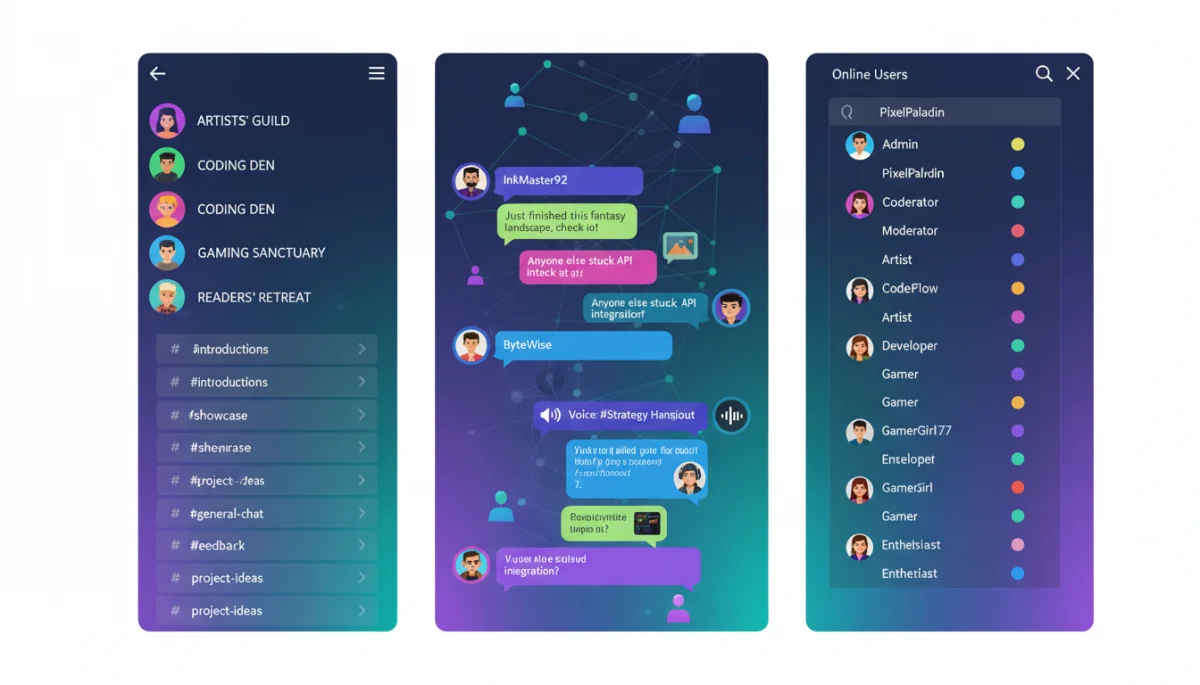
Discord’s Security Architecture
Discord uses encryption in transit (TLS) for messages, meaning communications are encrypted between your device and Discord’s servers, but not necessarily end-to-end between users. While this is standard for many online services, it means Discord technically has access to message content on its servers. Voice and video calls are also encrypted.
- Data collection: Discord collects data on user activity to improve services and for targeted advertising.
- Moderation tools: Provides extensive tools for server owners to manage content and user behavior, including filtering and banning.
- Transparency: Discord publishes transparency reports regarding data requests from law enforcement.
- Two-factor authentication (2FA): Strongly recommended for enhanced account security.
For community owners, Discord offers robust moderation tools, allowing them to set up rules, assign roles with specific permissions, and integrate bots for content filtering. This helps maintain a safe environment within the community, even if the underlying message encryption isn’t end-to-end. WhatsApp’s moderation capabilities are much more limited, relying primarily on group admins removing members or messages.
Ultimately, if absolute message privacy (E2EE) is the top priority, WhatsApp might seem more appealing. However, if community safety, robust moderation, and a structured environment are key, Discord’s features provide a more comprehensive solution, despite its different encryption model. The trade-off often lies between individual message privacy and comprehensive community management tools.
User Experience and Accessibility
The user experience (UX) and accessibility of a platform play a crucial role in the success of any ongoing community. Evaluating Discord versus WhatsApp groups from this perspective involves looking at how intuitive they are to use, their performance across devices, and their inclusivity for diverse user bases.
WhatsApp’s UX is renowned for its simplicity. Its interface is clean, uncluttered, and highly intuitive, making it accessible even to those less tech-savvy. The core messaging experience is consistent across mobile and web platforms, allowing users to pick it up quickly. Its widespread adoption also means many potential community members already have it installed and know how to use it.
Discord’s Learning Curve and Customization
Discord, while powerful, has a steeper learning curve. Its server-channel structure, role-based permissions, and extensive customization options can initially overwhelm new users. However, once mastered, this complexity unlocks a highly tailored and efficient community experience. Discord is available on desktop (Windows, macOS, Linux), web browsers, and mobile (iOS, Android), offering a consistent and feature-rich experience across all platforms.
- Customizable interface: Themes, notification settings, and server layouts.
- Keyboard shortcuts: Enhances efficiency for power users.
- Accessibility features: Voice activity detection, text-to-speech, and colorblind modes.
- Performance: Optimized for low-latency voice and video, crucial for gaming communities.
WhatsApp’s main accessibility advantage is its sheer simplicity and familiarity. It also offers features like adjustable text size and support for screen readers. However, its group management tools are basic, which can make it challenging for community organizers to maintain order as groups grow.
In contrast, Discord’s robust features, while requiring an initial investment in learning, provide a superior long-term user experience for organized communities. The ability to customize notifications per channel, mute specific discussions, and navigate complex server structures allows users to tailor their experience to their preferences, reducing digital fatigue. Therefore, the choice between Discord and WhatsApp for user experience often comes down to balancing immediate ease of use with long-term functional depth and customization.
Community Management and Moderation
Effective community management and moderation are vital for maintaining a healthy and engaging environment. The tools and capabilities offered by Discord versus WhatsApp groups in this area significantly influence a community leader’s ability to enforce rules, handle conflicts, and foster positive interactions.
WhatsApp groups offer basic administrative controls. Group admins can add or remove members, change group settings (like who can send messages), and delete messages. However, these tools are quite limited. There’s no built-in system for roles, specific permissions, or automated moderation. Managing a large or active WhatsApp group can quickly become a manual, time-consuming task for admins.
Discord’s Advanced Moderation Ecosystem
Discord, conversely, provides an extensive suite of moderation tools that are essential for scalable communities. Server owners can define multiple roles, each with specific permissions for accessing channels, sending messages, embedding links, and more. This granular control allows for a hierarchical structure within the community.
- Role-based permissions: Customize what each member role can do.
- Moderation bots: Automated tools for filtering spam, enforcing rules, and logging actions.
- Audit logs: Tracks all administrative and moderation actions within a server.
- Channel-specific rules: Set different guidelines for various discussion topics.
The ability to integrate third-party bots further enhances Discord’s moderation capabilities. Bots can automatically welcome new members, filter out unwanted content (e.g., profanity, spam links), issue warnings, or even ban disruptive users. This automation frees up human moderators to focus on more nuanced issues and direct member engagement.
For communities aiming for growth and a structured environment, Discord’s comprehensive management and moderation features are a clear advantage. WhatsApp’s simplicity, while easy to start with, quickly becomes a limitation as a community expands and requires more sophisticated oversight. The choice here is largely dictated by the anticipated size and complexity of your community’s governance needs.
Scalability and Growth Potential
The long-term viability of an online community depends heavily on its chosen platform’s scalability and potential for growth. When comparing Discord versus WhatsApp groups, their inherent designs dictate how well they can accommodate increasing member counts and evolving community needs without becoming chaotic or unmanageable.
WhatsApp groups are inherently limited in scale. A single group can only accommodate up to 1024 members. While this is sufficient for many personal or small-scale interest groups, it quickly becomes a bottleneck for larger communities. Beyond member limits, the lack of channel organization means that a single chat stream can become overwhelming with too many participants, leading to information overload and reduced engagement.
Discord’s Infinite Scalability Model
Discord is built for scale. A single Discord server can host hundreds of thousands of members, and its channel-based structure ensures that even massive communities remain organized. New channels can be created for emerging topics, roles can be assigned to manage different segments of the community, and categories can group related channels, preventing clutter.
- Unlimited members: Servers can grow to accommodate vast numbers of users.
- Channel organization: Keeps discussions focused and prevents information overload.
- Server boosting: Allows communities to unlock additional perks as they grow.
- Community features: Tools specifically designed for large-scale community management.
Moreover, Discord’s API and bot ecosystem enable continuous innovation and customization, allowing communities to adapt and add new functionalities as they grow. This adaptability is crucial for long-term relevance and member retention. WhatsApp, by contrast, offers very little in the way of customization or extensibility, meaning its core functionality remains static regardless of community size.
For communities with ambitions for significant growth or those that anticipate diverse topics and activities, Discord offers a far more robust and scalable solution. WhatsApp is best suited for intimate, smaller groups where rapid growth is not a primary concern and simplicity is prioritized over expansive features. The decision here directly impacts the future trajectory and potential reach of your community.
| Feature | Description |
|---|---|
| Community Structure | Discord offers structured servers with channels and roles; WhatsApp uses simple group chats. |
| Moderation Tools | Discord provides advanced roles, bots, and audit logs; WhatsApp has basic admin controls. |
| Scalability | Discord supports large, growing communities; WhatsApp groups are limited to 1024 members. |
| Privacy Approach | WhatsApp features E2EE; Discord uses TLS encryption with more moderation oversight. |
Frequently Asked Questions About Community Platforms
For small, casual groups of friends or family, WhatsApp is generally better due to its simplicity, widespread adoption, and end-to-end encryption. Most people already use it, making it easy to set up and communicate without a learning curve.
Yes, Discord is increasingly used for professional and business communities. Its structured channels, voice chat, and robust moderation tools make it suitable for team collaboration, client support, and hosting online events. Many companies use it for internal and external communication.
WhatsApp offers end-to-end encryption (E2EE) for all messages and calls, ensuring only participants can read them. Discord uses encryption in transit (TLS), meaning messages are encrypted between your device and their servers, but Discord technically has access to the content.
Discord has advanced moderation tools, including customizable roles, permissions, and a vast ecosystem of moderation bots for automation and content filtering. WhatsApp’s moderation is limited to basic admin controls like adding/removing members and deleting messages.
Discord is unequivocally better for large communities with diverse topics. Its server-channel structure allows for dedicated discussion spaces, preventing information overload, and its scalability supports hundreds of thousands of members, unlike WhatsApp’s 1024-member limit.
Conclusion
Navigating the choice between Discord versus WhatsApp groups for an ongoing community ultimately boils down to aligning the platform’s capabilities with your community’s specific needs and aspirations. WhatsApp excels in simplicity, widespread familiarity, and end-to-end encryption, making it ideal for smaller, informal groups where quick, personal communication is paramount. Its ease of use ensures a low barrier to entry for members who may not be tech-savvy. However, its limitations in scalability, organizational tools, and advanced moderation quickly become apparent as a community grows in size and complexity. For those envisioning a dynamic, structured, and expansive community, Discord stands out as the superior choice. Its robust server architecture, granular role-based permissions, extensive channel options, and a rich ecosystem of bots provide an unparalleled environment for fostering diverse discussions, managing large member bases, and ensuring a well-moderated, engaging space. While it presents a slightly steeper learning curve, the long-term benefits of its comprehensive feature set for community management, growth, and user experience are undeniable. Therefore, careful consideration of your community’s purpose, size, and desired level of interaction will guide you to the platform that best supports its thriving future.
