Tinder Discovery Settings: Master Distance, Age & Visibility

Mastering Tinder’s discovery settings, including distance, age range, and visibility controls, is crucial for optimizing your dating experience and connecting with compatible matches effectively.
Navigating the world of online dating can often feel like a maze, especially when trying to find genuinely compatible connections. For many, Tinder remains a primary platform, but its true power lies hidden within its customizable features. Understanding and optimizing your Tinder discovery settings – specifically distance, age, and visibility controls – is not just about tweaking preferences; it’s about strategically shaping your dating journey to attract the right people and maximize your chances of success. Let’s dive deep into how these controls work and how you can leverage them to your advantage.
Understanding Tinder’s Core Discovery Mechanism
Tinder’s discovery mechanism is the engine that drives your potential matches. It’s designed to present you with profiles based on a set of criteria, primarily governed by the settings you define. Far from being a random assortment, the app uses algorithms to filter and present individuals who fit within your specified parameters. This fundamental understanding is your first step towards taking control of your dating experience.
At its heart, Tinder aims to connect people who are both geographically close and share some basic demographic preferences. While factors like mutual interests, shared friends, and even past interactions play a role in the algorithm, your explicit discovery settings act as the primary gatekeepers. Ignoring these settings means leaving your dating fate to chance, potentially leading to frustration and a stream of irrelevant profiles. By actively engaging with these controls, you’re not just telling Tinder what you want; you’re actively participating in the matchmaking process.
How the Algorithm Interprets Your Preferences
- Preference Weighting: Tinder’s algorithm doesn’t treat all preferences equally. While distance and age are hard filters, other factors like shared interests or ‘Smart Photos’ are softer suggestions that influence who you see.
- Activity and Engagement: Your activity on the app also impacts discovery. Regularly swiping, sending messages, and updating your profile signals to Tinder that you’re an engaged user, potentially increasing your visibility to others.
- Elo Score (or Similar): Historically, Tinder used an ‘Elo Score’ to rank users based on desirability. While the exact system has evolved, the concept of internal ranking based on how others interact with your profile still influences who you see and who sees you.
In essence, Tinder’s discovery is a dynamic interplay between your explicit settings, your in-app behavior, and the algorithm’s continuous learning. Optimizing these settings is about fine-tuning this interaction to align with your dating goals. It’s about being proactive rather than reactive, ensuring that the profiles presented to you are genuinely within your sphere of interest and vice versa.
Mastering the Distance Setting: Proximity and Possibility
The distance setting on Tinder is perhaps one of the most straightforward yet impactful controls at your disposal. It dictates the maximum radius within which the app will search for potential matches. For some, a tight radius is essential for practical reasons, while for others, a broader search opens up more possibilities. Your ideal distance setting largely depends on your lifestyle, location, and dating intentions.
Adjusting this setting requires a careful balance. Too small a radius in a sparsely populated area might leave you with few options, leading to the dreaded “no one new around you” message. Conversely, too large a radius in a dense urban environment could overwhelm you with profiles that are geographically impractical for regular dating. The key is to find your personal sweet spot that offers a healthy balance of choice and convenience.
Setting Your Ideal Radius
- Urban Areas: In cities, a smaller radius (5-10 miles) can still yield a vast number of profiles, making it practical for local dates.
- Suburban Areas: You might need to expand this to 15-25 miles to capture nearby towns and communities.
- Rural Areas: A wider net, perhaps 30-50 miles, might be necessary to find a sufficient pool of potential matches.
Remember, the distance shown on a profile is the distance from their last active location, not necessarily their current one. This means someone might appear further away than they typically are, or closer than they usually reside. Experiment with your distance settings; don’t be afraid to adjust it periodically based on your results. If you’re not seeing enough new faces, incrementally increase the radius. If you’re constantly matching with people too far for your comfort, dial it back. The goal is to maximize relevant connections without creating logistical headaches.
Age Range Controls: Finding Your Generational Match
Just as distance defines your geographical reach, the age range setting on Tinder defines your generational scope. This control allows you to specify the minimum and maximum age of the profiles you wish to see. It’s a critical filter for ensuring you’re matched with individuals who are at a similar life stage or with whom you feel a natural connection. Setting this correctly is paramount to avoiding age-related mismatches and focusing on genuine compatibility.
Many users make the mistake of setting an overly broad age range, thinking it will increase their chances. While it does increase the sheer volume of profiles, it often dilutes the quality of matches. Dating across significant age gaps can come with different life experiences, priorities, and communication styles. While these can be overcome, focusing your search within a more defined age bracket can lead to more resonant interactions from the outset.
Strategic Age Range Selection
Consider your own age and what you’re looking for. If you’re 25, are you genuinely seeking someone who is 18, or 40? While exceptions exist, most people find more common ground with peers. A good rule of thumb for a starting point is to set your minimum age to half your age plus seven (e.g., if you’re 30, 30/2 + 7 = 22) and your maximum age to your age plus 5-10 years, depending on your preference. This provides a balanced range that’s typically conducive to shared experiences.
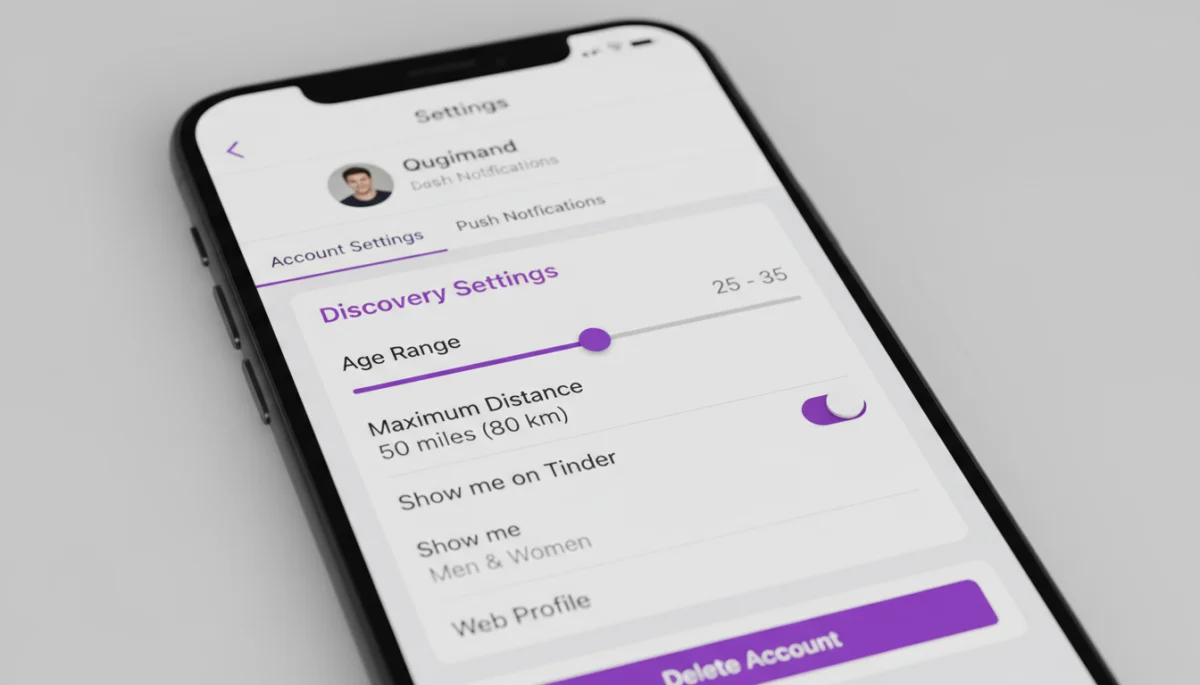
It’s also worth noting that Tinder’s algorithm often prioritizes showing you profiles closer to your own age, even within a broad range. Therefore, narrowing your age range helps the algorithm better understand your preferences. Regularly review and adjust this setting. As you gain more experience on the app and better understand your own dating preferences, you may find your ideal age range shifts. Be flexible, but be intentional.
Visibility Controls: Who Sees You, and When?
Beyond distance and age, Tinder offers visibility controls that determine who can see your profile and under what circumstances. These settings are crucial for managing your privacy, controlling who you interact with, and even taking a break from the app without deleting your account entirely. Understanding these options empowers you to tailor your Tinder experience to your comfort level and current dating goals.
The primary visibility control is often referred to as ‘Show me on Tinder’ or ‘Discovery’. When this is enabled, your profile is actively shown to others within their discovery preferences. If you disable it, your profile will no longer appear in new stacks, effectively pausing your activity without losing your matches or chat history. This is particularly useful if you’re feeling overwhelmed, taking a break, or focusing on existing connections.
Managing Your Profile’s Exposure
- Discovery On/Off: Toggle this to control whether your profile is actively shown to new users. Existing matches can still message you.
- Only People I’ve Liked: For Tinder Plus, Gold, or Platinum subscribers, there’s often an option to only be shown to people you’ve already liked. This gives you more control over who sees you, ensuring only those you’ve expressed interest in will encounter your profile.
- Read Receipts: While not directly a visibility control, managing read receipts (a premium feature) affects how others perceive your engagement, which can subtly influence interaction.
Another aspect of visibility relates to your ‘Active Status’. Tinder often shows if a user has been recently active. While you can’t directly control this display, being aware of it can inform your own activity patterns. Ultimately, visibility controls are about putting you in the driver’s seat. Whether you want to be widely discoverable or prefer a more curated, private experience, these settings provide the tools to achieve it. Use them strategically to align with your personal boundaries and dating strategy.
Advanced Discovery Strategies: Beyond the Basics
Once you’ve mastered the fundamental distance, age, and visibility settings, you can delve into more advanced strategies to fine-tune your Tinder experience. These aren’t always explicit settings but rather approaches to using the app that complement your chosen parameters. Thinking beyond the basic sliders can significantly enhance the quality of your matches and your overall satisfaction with the platform.
One such strategy involves understanding the impact of your profile itself. While discovery settings filter who sees you, your profile content determines whether they swipe right. A well-crafted bio, engaging photos, and thoughtful prompts can act as an additional layer of filtering, attracting those who genuinely resonate with your personality and interests. Consider your profile as an extension of your discovery settings, working in tandem to present the most authentic version of yourself.
Leveraging Premium Features and Location Changes
For those with Tinder Plus, Gold, or Platinum subscriptions, additional features can further refine discovery. ‘Passport’ allows you to change your location to anywhere in the world, enabling you to match with people in a city you plan to visit before you even arrive. This is a powerful tool for planning trips or relocating.
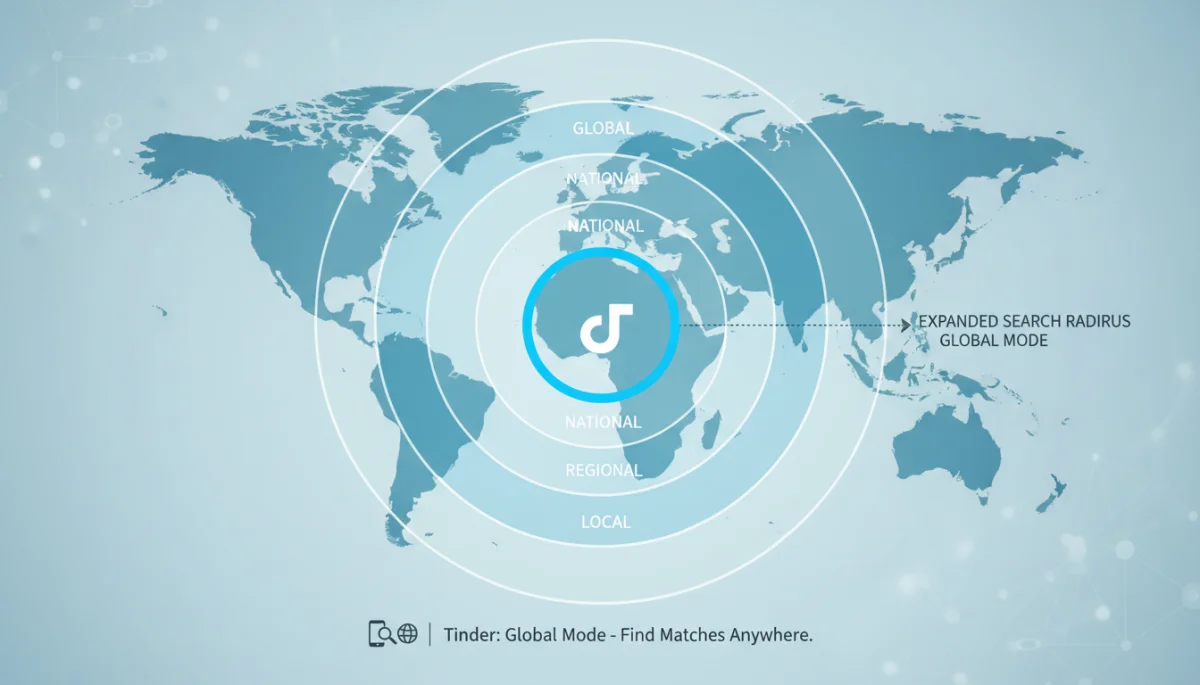
Another premium benefit is the ability to see who has already liked you (Tinder Gold/Platinum). This effectively bypasses the discovery queue, allowing you to instantly match with interested individuals. While these are paid features, they offer a significant advantage in controlling your discovery and match flow. Even without premium, strategically updating your profile and being active during peak hours can give you an edge, as Tinder often prioritizes active users in the discovery feed. It’s about being smart with your presence and presentation.
Troubleshooting Common Discovery Issues
Even with meticulous attention to your discovery settings, you might encounter issues. Perhaps you’re not seeing any new profiles, or the matches you’re getting don’t align with your preferences. Troubleshooting these common problems requires a systematic approach, often starting with a review of your settings and moving on to broader app-related factors. Don’t immediately assume the app is broken; often, a simple adjustment can resolve the problem.
One frequent issue is the “no one new around you” message. This often indicates that your distance and age range settings are too restrictive for your current location. If you live in a less populated area, you may need to significantly expand your search parameters. Conversely, if you’re in a dense city and still seeing this message, it might be a temporary glitch, or your profile might be paused.
Addressing Persistent Discovery Challenges
- Review Your Settings: Double-check your age and distance sliders. Ensure they are set to a reasonable range that aligns with your location and preferences.
- Check Profile Visibility: Make sure your ‘Show me on Tinder’ option is enabled if you want to be seen by new people.
- Update the App: Sometimes, outdated app versions can cause discovery glitches. Ensure your Tinder app is updated to the latest version.
- Re-evaluate Your Profile: If you’re getting matches but they’re not the right fit, consider if your profile is accurately representing what you’re looking for. Sometimes, the issue isn’t discovery, but attraction.
- Contact Support: If all else fails, Tinder’s support team can help diagnose account-specific issues.
Remember that Tinder’s algorithm is constantly evolving, and what worked last year might not be as effective today. Stay informed about app updates and be willing to adapt your strategy. Patience and persistence are key, but so is smart optimization of your discovery controls.
The Psychology Behind Effective Tinder Settings
Beyond the technical aspects of adjusting sliders and toggles, there’s a psychological dimension to optimizing your Tinder discovery settings. Your choices reflect your intentions, your openness, and ultimately, the kind of connections you’re hoping to make. Understanding this underlying psychology can help you make more conscious and effective decisions about how you present yourself and who you seek on the platform.
For instance, setting a very narrow age range might signal a clear preference for peers, but it could also inadvertently limit your exposure to individuals who might be a great match despite a slight age difference. Conversely, an overly broad range might suggest a lack of specific focus, potentially attracting a wider, less targeted audience. The balance lies in being specific enough to filter out clear mismatches, but open enough to allow for serendipitous connections.
Intentional Choices for Better Outcomes
- Reflect on Your Goals: Before adjusting settings, clearly define what you’re looking for in a match. Casual? Serious? Friendship? This clarity will guide your choices.
- Consider Reciprocity: Think about the type of profile you would swipe right on. Are your settings inviting to those individuals?
- Embrace Iteration: Your preferences might evolve. Be willing to revisit and adjust your settings as you learn more about yourself and what you truly seek.
The psychology extends to how others perceive your settings, even if indirectly. A profile that consistently matches with people far outside their stated preferences might be seen as less serious or genuine. While Tinder doesn’t explicitly show other users your settings, the types of profiles you interact with and the quality of your matches contribute to your overall “vibe” on the app. By aligning your discovery settings with your authentic self and your dating intentions, you not only improve the algorithm’s efficiency but also foster a more genuine and fulfilling online dating experience.
| Key Setting | Impact on Discovery |
|---|---|
| Distance | Determines geographical radius for potential matches. Crucial for local dating practicality. |
| Age Range | Filters matches by preferred age, influencing generational compatibility and shared life stages. |
| Visibility | Controls whether your profile is shown to new users, managing privacy and active presence. |
| Premium Features | Options like Passport and ‘See Who Likes You’ offer advanced control over discovery and match flow. |
Frequently Asked Questions About Tinder Discovery Settings
To adjust your distance settings, open Tinder, tap the profile icon, go to ‘Settings’, and locate ‘Discovery Settings’. Here, you’ll find a slider to set your preferred maximum distance in miles or kilometers. Adjust it to match your desired search radius.
Several factors can cause this. First, check your ‘Discovery Settings’ to ensure your age and distance ranges aren’t too restrictive. Also, confirm your ‘Show me on Tinder’ option is enabled. Sometimes, a temporary app glitch or a sparse user base in your area can also be a reason.
Tinder offers limited direct blocking. However, premium users can choose to be seen ‘Only by People I’ve Liked,’ offering more control. You can also block contacts from your phone to prevent them from seeing your profile if they’re also on Tinder.
Yes, your activity significantly impacts visibility. Regular engagement, such as swiping and sending messages, signals to Tinder that you’re an active user. The algorithm tends to prioritize active profiles, potentially increasing your visibility to others in their discovery feeds.
This setting controls whether your profile is actively shown in the discovery feed of other users. If you disable it, your profile won’t appear to new people, but you can still chat with existing matches. It’s a way to pause your dating activity without deleting your account.
Conclusion
Ultimately, mastering your Tinder discovery settings is not just about technical adjustments; it’s about taking an active, informed approach to your online dating journey. By strategically setting your distance, age range, and visibility controls, you gain the power to curate your experience, attract more compatible matches, and avoid common frustrations. Remember that these settings are not static; they should evolve as your preferences and dating goals do. Regularly review and refine them, experiment with different parameters, and pay attention to how your adjustments impact the quality of your matches. With a thoughtful approach, Tinder can transform from a simple swiping app into a highly effective tool for making meaningful connections tailored precisely to your desires.
