How to Compare App Accessibility Before Committing to a Communication Tool
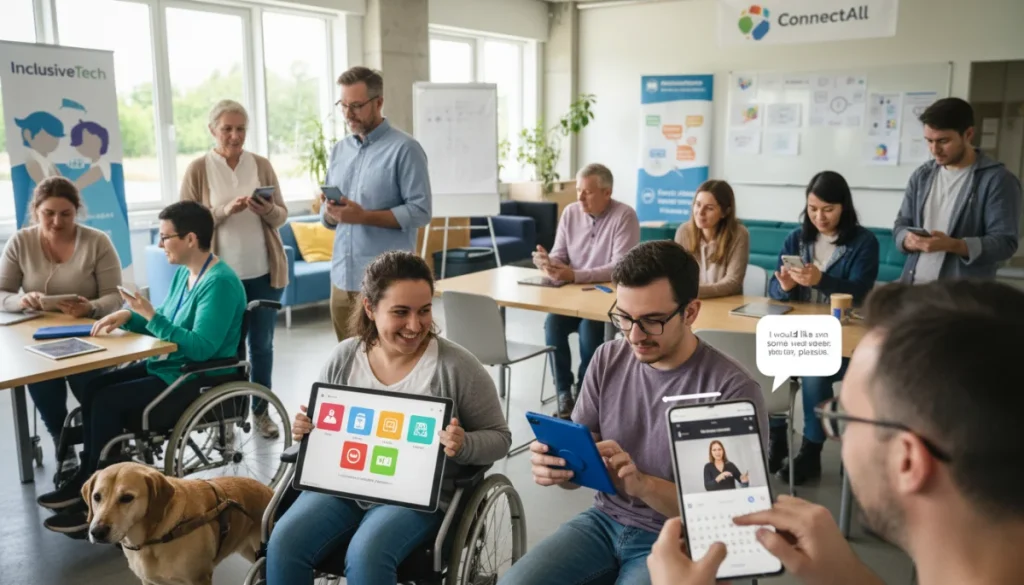
Before committing to a communication tool, comparing app accessibility is essential to ensure all users, regardless of ability, can effectively utilize its features and participate fully in digital interactions.
Choosing the right communication tool in today’s digital landscape goes beyond just features and price. For many, the critical question becomes: how to compare app accessibility before committing to a communication tool? Ensuring that an application is accessible to everyone, regardless of their physical or cognitive abilities, is not just a matter of compliance but a commitment to inclusivity. This guide will walk you through the essential considerations to make informed decisions.
Understanding the Importance of Digital Accessibility in Communication
Digital accessibility ensures that technology can be used by everyone, including people with disabilities. In the realm of communication tools, this means ensuring features like text chat, voice calls, video conferencing, and file sharing are usable by individuals with visual impairments, hearing loss, motor disabilities, or cognitive differences. Overlooking accessibility can exclude a significant portion of potential users, hindering collaboration and connection.
The foundation of effective communication lies in its ability to reach all participants. When a communication app lacks accessibility, it creates barriers that can prevent individuals from fully participating in conversations, meetings, or social interactions. This not only impacts personal connections but also has significant implications for professional environments, where inclusive communication is vital for productivity and team cohesion. Prioritizing accessibility from the outset is a proactive step towards building a more equitable digital space.
Why Accessibility is Not an Afterthought
Accessibility should never be an add-on feature or an afterthought in app development. Instead, it must be integrated into the core design philosophy from the very beginning. This approach, often referred to as universal design, ensures that the app is inherently usable by the widest possible range of people without the need for specialized adaptations. Thinking about accessibility early in the development cycle can also prevent costly redesigns and retrofits later on.
- Broader User Base: Accessible apps cater to more users, including those with temporary or permanent disabilities.
- Legal Compliance: Many regions have laws (e.g., ADA in the US) requiring digital products to be accessible.
- Enhanced User Experience: Features designed for accessibility often improve usability for all users, such as clear interfaces or customizable settings.
- Ethical Responsibility: Providing accessible tools reflects a commitment to diversity and inclusion.
In conclusion, recognizing the profound impact of digital accessibility on communication is the first step toward making informed choices. It’s about ensuring that every voice can be heard and every message can be understood, fostering a truly inclusive digital environment. By understanding its importance, we can better evaluate and select tools that serve everyone.
Key Accessibility Features to Look For in Communication Apps
When you’re comparing communication apps, knowing which accessibility features are crucial can streamline your evaluation process. These features address various needs and can significantly impact a user’s ability to interact with the platform effectively. A comprehensive understanding of these elements is vital for making an informed decision about app accessibility comparison.
The landscape of accessibility features is constantly evolving, but certain core functionalities remain paramount. These include options for visual, auditory, motor, and cognitive support. By systematically checking for these features, you can gauge an app’s commitment to inclusivity and its suitability for a diverse user base. It’s not enough for an app to claim accessibility; it must demonstrate it through tangible, functional features that genuinely enhance user experience for those with disabilities.
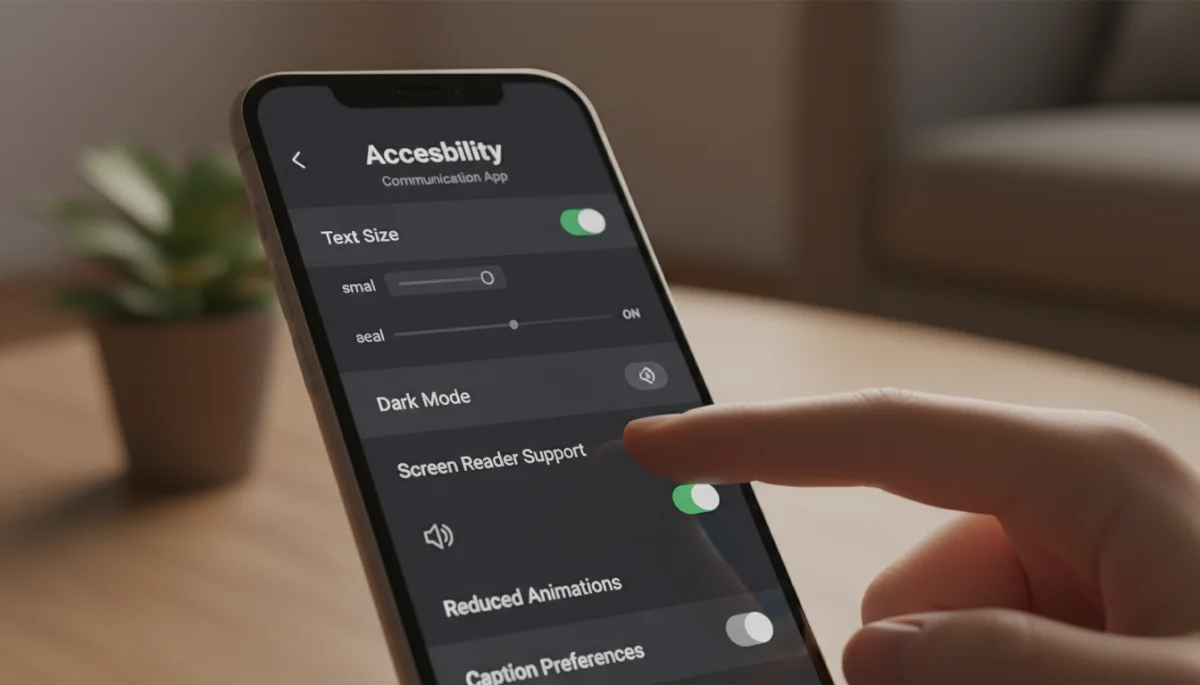
Visual Accessibility: Ensuring Clarity for All
For users with visual impairments, a communication app’s visual accessibility features are paramount. These go beyond simple text resizing and delve into how the app presents information and allows for customization. Without robust visual aids, many users would find the app unusable.
- Screen Reader Compatibility: The app should be fully navigable and readable by screen readers (e.g., VoiceOver, TalkBack), with all elements properly labeled.
- Adjustable Text Size and Contrast: Users must be able to increase text size and adjust color contrast to their preferences for better readability.
- Dark Mode/High Contrast Mode: These modes reduce eye strain and improve visibility for users with light sensitivity or certain visual conditions.
- Zoom Functionality: The ability to magnify portions of the screen without distortion is critical for low-vision users.
Auditory Accessibility: Making Sound Accessible
Hearing impairments should not be a barrier to communication. Apps must provide alternatives to auditory information, ensuring that all content is accessible through other senses.
- Closed Captions and Transcripts: For video and audio calls, real-time captioning and post-call transcripts are indispensable.
- Adjustable Volume Controls: Granular control over different audio streams (e.g., speaker, notification, media) is important.
- Visual Notifications: Alerts and notifications should have visual cues in addition to auditory ones.
Motor Accessibility: Navigating with Ease
Users with motor disabilities often rely on alternative input methods. An accessible app will support these diverse interaction styles.
- Keyboard Navigation: All features should be accessible and operable using only a keyboard, without requiring a mouse.
- Voice Control Support: Compatibility with voice command software allows users to navigate and input text verbally.
- Customizable Touch Targets: Buttons and interactive elements should be large enough and spaced appropriately to prevent accidental taps.
Cognitive Accessibility: Simplifying Complexity
Cognitive accessibility focuses on making apps easy to understand and use for individuals with cognitive differences, learning disabilities, or even those experiencing temporary cognitive load.
- Clear and Consistent Layout: Predictable navigation and logical information flow reduce cognitive burden.
- Simplified Language: Avoiding jargon and using plain language makes instructions and interface elements easier to comprehend.
- Customizable Time Limits: Allowing users to adjust time limits for responses or actions can be beneficial.
By meticulously reviewing an app for these key features, you can effectively compare app accessibility and ensure the chosen tool supports a truly inclusive communication experience for everyone involved.
Practical Steps to Evaluate App Accessibility Features
Once you understand what to look for, the next step is to put that knowledge into action. Evaluating app accessibility requires a systematic approach, often involving a combination of research, direct testing, and community feedback. This practical guide will help you navigate the process of how to compare app accessibility before committing to a communication tool effectively.
The evaluation process isn’t just about ticking boxes; it’s about understanding the real-world experience of users with diverse needs. Begin by exploring the app’s official documentation and accessibility statements, but don’t stop there. Hands-on testing, even if rudimentary, can reveal significant insights that specifications alone might miss. Engaging with accessibility communities can also provide invaluable perspectives and practical advice, enriching your understanding beyond what any single review might offer.
Consult Official Documentation and Accessibility Statements
Most reputable app developers will provide information about their accessibility efforts. Start by looking for a dedicated accessibility section on their website or within the app’s settings.
- Accessibility Policy: Does the company have a clear policy outlining their commitment to accessibility?
- VPAT (Voluntary Product Accessibility Template): For business-focused tools, a VPAT report details compliance with Section 508 of the Rehabilitation Act.
- Support Resources: Look for guides or FAQs specifically addressing accessibility features and how to use them.
Conduct Manual Testing with Accessibility Tools
The best way to understand accessibility is to experience it. Even if you don’t have a disability, using built-in accessibility features on your device can give you a better perspective.
- Screen Reader Simulation: Turn on your device’s screen reader (e.g., VoiceOver on iOS, TalkBack on Android) and try to navigate the app. Pay attention to how elements are announced and if all functionality is reachable.
- Keyboard-Only Navigation: If testing on a desktop version, try to use the app solely with a keyboard (Tab, Shift+Tab, Enter, Spacebar). Can you access all buttons, menus, and input fields?
- Color Contrast Checkers: Use browser extensions or online tools to analyze the color contrast of text and interactive elements within the app against WCAG (Web Content Accessibility Guidelines) standards.
- Text Resizing: Experiment with increasing text size in your device settings. Does the app’s layout adapt gracefully, or do elements overlap and become unreadable?
Seek Feedback from the Disability Community
No amount of self-testing can replace the insights of actual users with disabilities. Engaging with this community is crucial for a truly informed evaluation.
- Online Forums and Social Media Groups: Search for discussions or reviews related to the app’s accessibility from users with disabilities.
- Accessibility Advocates: Follow accessibility experts and organizations who often review and highlight accessible (or inaccessible) digital tools.
- Beta Testing Opportunities: Some developers offer beta programs where you can provide direct feedback on accessibility.
By combining these practical steps, you can move beyond theoretical understanding to a concrete evaluation of an app’s accessibility. This comprehensive approach ensures that your decision on how to compare app accessibility is grounded in real-world usability and genuine user needs.
Integrating Accessibility into Your Communication Tool Selection Process
Selecting a communication tool is a significant decision, especially when considering its long-term use. Integrating accessibility into this selection process from the very beginning ensures that your chosen platform will serve all users effectively. This proactive approach is key to fostering an inclusive environment, whether for personal or professional use.
It’s not enough to simply check for features; the integration process involves a holistic view, weighing accessibility alongside other critical factors like security, cost, and functionality. By making accessibility a non-negotiable criterion, you elevate its importance and ensure it receives the attention it deserves. This structured approach helps in making a choice that benefits everyone, avoiding the pitfalls of retrofitting accessibility later on.
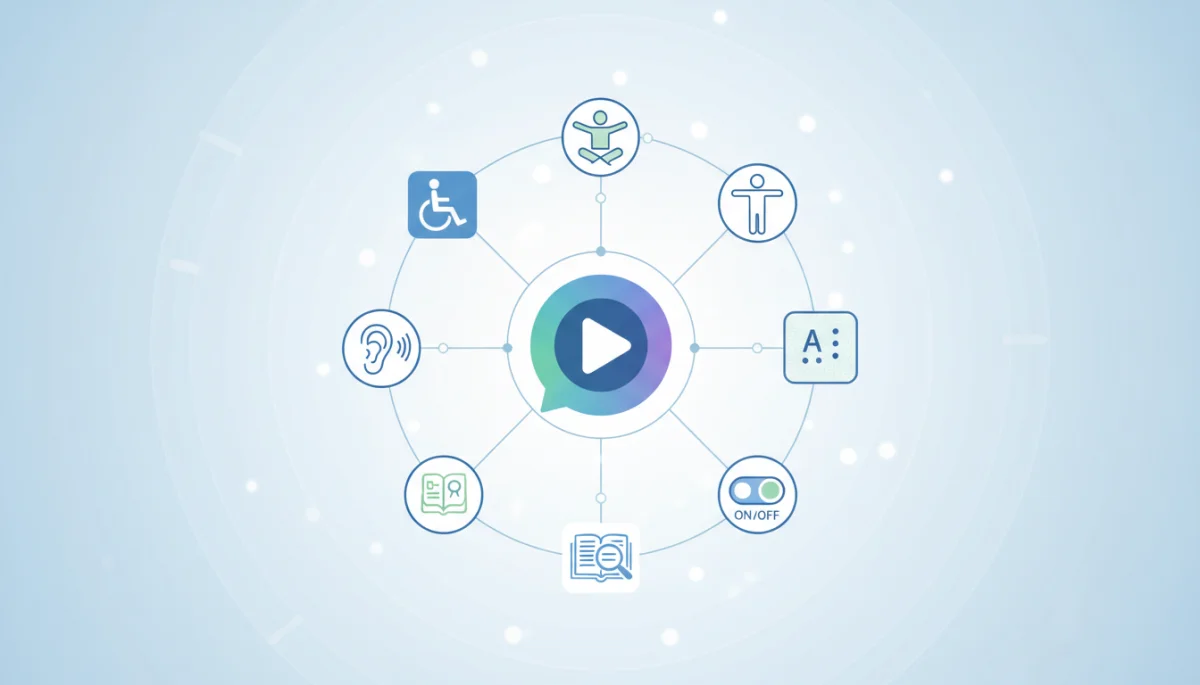
Prioritizing Accessibility in Your Requirements List
When creating a list of requirements for a new communication tool, accessibility should rank high, not as an optional extra. Define what level of accessibility is mandatory for your context.
- Non-Negotiable Features: Identify essential accessibility features (e.g., screen reader support, closed captions) that the app absolutely must have.
- Desirable Features: List features that would enhance the experience but might not be critical for basic functionality.
- Compliance Standards: If applicable, ensure the app meets relevant accessibility standards like WCAG 2.1 AA or Section 508.
Pilot Programs and User Testing
Before fully committing, consider running a pilot program with a diverse group of users, including individuals with disabilities. Their real-world experience is invaluable.
- Diverse User Group: Include participants with various types of disabilities to get comprehensive feedback.
- Structured Feedback: Provide clear guidelines for feedback, focusing on specific accessibility features and overall usability.
- Iterative Testing: If possible, test different apps or different versions of the same app to compare their accessibility performance directly.
Vendor Communication and Support
Engage with potential vendors about their commitment to accessibility. Their responses can reveal a lot about their priorities and future plans.
- Direct Questions: Ask specific questions about their accessibility roadmap, bug reporting process for accessibility issues, and support for assistive technologies.
- Accessibility Training: Inquire if their support staff are trained to assist users with accessibility needs.
- Future Updates: Understand how they plan to maintain and improve accessibility over time, especially with new features.
By systematically integrating accessibility into your selection framework, you ensure that the communication tool you choose is not only functional and secure but also genuinely inclusive. This strategic approach to how to compare app accessibility leads to better outcomes for all users.
Common Pitfalls and How to Avoid Them in Accessibility Comparison
Navigating the complexities of app accessibility comparison can be challenging, and it’s easy to fall into common traps that can lead to a less-than-ideal choice. Being aware of these pitfalls and understanding how to circumvent them is crucial for making a truly informed decision when you need to compare app accessibility before committing to a communication tool.
One of the most prevalent mistakes is relying solely on marketing claims without verifying them through actual testing or user feedback. Many apps claim to be accessible, but the reality can often be quite different. Another pitfall is focusing on a single accessibility feature while neglecting others, leading to an incomplete understanding of the app’s overall inclusivity. A comprehensive and critical approach is essential to avoid these missteps and ensure that your chosen tool genuinely meets diverse user needs.
Over-reliance on Marketing Claims
Many companies use buzzwords like “accessible” or “inclusive” in their marketing without truly delivering on the promise. It’s vital to look beyond the marketing jargon.
- Verify Claims: Always cross-reference marketing statements with independent reviews, user testimonials, and your own testing.
- Look for Specifics: Generic claims are often red flags. Seek out detailed descriptions of specific features and how they implement accessibility standards.
- Beware of “Compliance Theater”: Some companies might claim compliance with standards without truly embedding accessibility into their design and development processes.
Ignoring Edge Cases and Specific Needs
Accessibility is not a one-size-fits-all concept. What works for one person with a disability might not work for another. Failing to consider a broad spectrum of needs can lead to an incomplete assessment.
- Consider Combined Disabilities: An app might be good for visual impairment but poor for motor disabilities. Evaluate how it performs for users with multiple accessibility needs.
- Temporary vs. Permanent Disabilities: Remember that accessibility benefits everyone, including those with temporary conditions (e.g., a broken arm) or situational impairments (e.g., bright sunlight making a screen hard to read).
- Cultural and Linguistic Nuances: While primarily focused on technical accessibility, also consider how language and cultural context might impact usability for diverse groups.
Lack of Ongoing Evaluation
Accessibility is not a static state; apps evolve, and new features can introduce new accessibility barriers. A one-time evaluation is insufficient for long-term commitment.
- Regular Re-evaluation: Periodically re-evaluate the app’s accessibility, especially after major updates or new feature releases.
- Feedback Mechanisms: Establish channels for users to report accessibility issues easily and ensure these reports are acted upon.
- Stay Informed: Keep up-to-date with the latest accessibility guidelines and best practices to ensure your chosen tool remains current.
By consciously avoiding these common pitfalls, you can conduct a more thorough and accurate app accessibility comparison. This diligence ensures that your chosen communication tool genuinely supports an inclusive and effective experience for all users.
The Role of Assistive Technologies in App Accessibility
Assistive technologies (ATs) are specialized tools designed to help individuals with disabilities interact with digital content and devices. Their effectiveness is intrinsically linked to how well communication apps are designed for accessibility. Understanding this symbiotic relationship is crucial when you need to compare app accessibility before committing to a communication tool.
Without proper integration and support, even the most advanced assistive technologies can be rendered ineffective. An accessible app acts as a bridge, allowing ATs to seamlessly interpret and present information to the user in a format that suits their needs. This collaboration ensures that individuals can fully participate in digital conversations, transcending barriers that might otherwise exclude them. Therefore, evaluating an app’s compatibility with a wide range of ATs is a fundamental aspect of a comprehensive accessibility review.
Screen Readers and Magnifiers
These are perhaps the most well-known assistive technologies for users with visual impairments. An app’s compatibility with them is a cornerstone of visual accessibility.
- Proper Labeling: All interactive elements (buttons, links, input fields) must have descriptive labels that screen readers can announce accurately.
- Logical Reading Order: The content should be structured so that screen readers navigate through it in a logical and understandable order.
- Keyboard Focus: Users must be able to move focus using a keyboard, and the focus indicator should be visible for screen magnifier users.
- Image Descriptions: All meaningful images should have alternative text (alt text) that screen readers can convey to the user.
Speech-to-Text and Voice Control Software
For individuals with motor disabilities, voice control offers an alternative way to interact with apps, bypassing traditional input methods.
- Voice Command Recognition: The app should respond effectively to common voice commands for navigation and interaction.
- Dictation Support: Users should be able to dictate messages and input text directly using speech-to-text functionality.
- Accessible UI Elements: Clearly labeled and distinct UI elements improve the accuracy of voice control software.
Alternative Input Devices
Beyond keyboards and mice, many users rely on specialized input devices, such as switch devices, head pointers, or eye-tracking systems.
- Standard API Support: Apps that adhere to standard operating system APIs for input are more likely to be compatible with a broader range of alternative devices.
- Customizable Gestures/Actions: The ability to remap or customize gestures can be vital for users with limited mobility.
- No Time-Sensitive Interactions: Avoid interactions that require rapid or precise movements, as these can be challenging for users with alternative input methods.
In essence, the seamless functioning of assistive technologies is a strong indicator of an app’s true accessibility. By evaluating an app’s support for these crucial tools, you can ensure that your chosen communication platform empowers all users to connect and interact effectively.
Future-Proofing Your Choice: Evolving Accessibility Standards
The digital world is constantly evolving, and so too are accessibility standards and best practices. When you compare app accessibility before committing to a communication tool, it’s not enough to consider current compliance; you must also think about future-proofing your choice. Selecting an app that demonstrates a commitment to ongoing accessibility improvements will serve you better in the long run.
Ignoring the future trajectory of accessibility can lead to your chosen tool becoming outdated or non-compliant, necessitating a costly and disruptive switch later on. A forward-thinking approach involves assessing a developer’s track record, their engagement with the accessibility community, and their responsiveness to emerging technologies and guidelines. This foresight ensures that your investment in an inclusive communication platform remains viable and effective for years to come, adapting to new challenges and opportunities in digital accessibility.
Staying Ahead of Regulatory Changes
Accessibility laws and guidelines are subject to updates. Choosing a vendor that actively monitors and adapts to these changes is paramount.
- Developer’s Commitment: Does the developer have a history of updating their products to meet new accessibility standards?
- Legal Team Awareness: For enterprise solutions, inquire about their legal team’s awareness and preparedness for upcoming accessibility regulations.
- Industry Engagement: Is the company involved in accessibility advocacy groups or standards bodies? This often indicates a proactive stance.
Embracing New Technologies for Accessibility
New technologies like AI and machine learning are increasingly being leveraged to enhance accessibility. An app that integrates these innovations is likely to be more future-proof.
- AI-Powered Captioning: Automated, accurate real-time captioning is a game-changer for auditory accessibility.
- Enhanced Voice Interfaces: Advanced voice recognition and natural language processing can make voice control more intuitive and powerful.
- Personalized Accessibility Profiles: Apps that allow users to save and switch between personalized accessibility settings can offer a more tailored experience.
Developer’s Accessibility Roadmap and Support
A transparent and active accessibility roadmap from the developer is a strong indicator of their long-term commitment to inclusivity.
- Public Roadmaps: Look for public statements or roadmaps detailing planned accessibility improvements.
- Dedicated Accessibility Team: Does the company have a dedicated team or individuals focused solely on accessibility?
- Responsive Support: Assess how quickly and effectively they address accessibility-related bug reports and feature requests.
By considering these aspects of future-proofing, you ensure that your decision on how to compare app accessibility is not just for today, but for the evolving digital landscape of tomorrow. This strategic thinking safeguards your commitment to inclusive communication for the long haul.
Making the Final Decision: A Holistic Accessibility Assessment
After meticulously evaluating individual features, testing with assistive technologies, and considering future trends, the final step is to synthesize all this information into a holistic accessibility assessment. This comprehensive review is crucial when you compare app accessibility before committing to a communication tool, as it ensures that your decision is well-rounded and truly inclusive.
A holistic assessment moves beyond a simple checklist, looking at how all accessibility elements interact to create an overall user experience. It involves weighing trade-offs, understanding the specific needs of your user base, and making a judgment call based on the most complete picture available. This final stage is where all the research and testing come together, enabling you to select a communication tool that genuinely empowers all individuals to connect and participate without barriers.
Weighing Pros and Cons for Your Specific Context
Every organization or individual has unique needs. What is a critical accessibility feature for one might be less so for another. Tailor your final assessment to your specific context.
- Identify Core User Needs: Understand the primary accessibility requirements of your target users. Are visual, auditory, or motor accessibility features most critical?
- Prioritize Features: Based on user needs, prioritize the accessibility features. An app might not be perfect in all areas, but it should excel in the most important ones.
- Consider Integration: Evaluate how the app’s accessibility features integrate with existing workflows and other tools.
Pilot Program Feedback Integration
If you conducted a pilot program, the feedback gathered from diverse users is your most valuable asset in this final stage. Integrate these real-world experiences into your decision-making.
- Analyze User Stories: Pay close attention to specific examples and challenges users faced.
- Quantify Feedback: If possible, categorize and quantify feedback to identify recurring themes and major pain points.
- Adjust Expectations: Be prepared to adjust your initial expectations based on practical user experience.
Long-Term Support and Community
The long-term viability of an accessible communication tool also depends on the support it offers and the community around it.
- Support Channels: Look for dedicated accessibility support channels and responsive customer service.
- Active User Community: A vibrant user community can provide peer support and share workarounds or tips for accessibility.
- Developer Responsiveness: Assess the developer’s track record in addressing accessibility issues and implementing user feedback.
By meticulously conducting this holistic assessment, you can confidently make a decision on how to compare app accessibility. This ensures that the communication tool you ultimately commit to is not only functional and efficient but also deeply inclusive, fostering a truly accessible digital environment for everyone.
| Key Aspect | Brief Description |
|---|---|
| Feature Check | Evaluate specific visual, auditory, motor, and cognitive accessibility features. |
| User Testing | Conduct manual tests with assistive technologies and seek feedback from users with disabilities. |
| Developer Commitment | Assess the vendor’s accessibility roadmap, support, and responsiveness to standards. |
| Holistic View | Synthesize all information for a comprehensive decision tailored to specific needs. |
Frequently Asked Questions About App Accessibility
App accessibility refers to the design and development of applications that can be used by everyone, including individuals with disabilities. This encompasses features that support visual, auditory, motor, and cognitive impairments, ensuring equitable access to all functionalities and content within the communication tool.
Accessibility is crucial for communication apps because it ensures that all users, regardless of ability, can participate fully in conversations and interactions. It prevents exclusion, fosters inclusivity, and often improves the overall user experience for everyone, leading to broader adoption and engagement.
To test screen reader compatibility, activate your device’s built-in screen reader (e.g., VoiceOver on iOS, TalkBack on Android). Navigate through the app using gestures or keyboard commands. Listen to how elements are announced, check if all functions are accessible, and ensure the reading order is logical and understandable.
WCAG (Web Content Accessibility Guidelines) are internationally recognized recommendations for making web content more accessible. While primarily for web, their principles apply broadly to apps. They provide a framework for evaluating accessibility across various criteria, ensuring perceivable, operable, understandable, and robust digital experiences.
Neither price point guarantees superior accessibility. Some free apps excel, while some paid ones fall short, and vice versa. Prioritize apps based on their actual accessibility features, user feedback, and developer commitment, not solely on their cost model. Always conduct thorough research and testing.
Conclusion
The journey to selecting an inclusive communication tool culminates in a deliberate and informed decision, guided by a thorough understanding of app accessibility. By actively learning how to compare app accessibility before committing to a communication tool, you empower yourself to choose platforms that genuinely foster connection and participation for all individuals. This commitment to inclusivity not only enriches the user experience but also aligns with ethical responsibilities and evolving societal expectations. In a world increasingly reliant on digital interactions, prioritizing accessibility in communication tools is not just an option, but a fundamental necessity for building truly connected communities.
