How to Review Recurring App Subscriptions on Android and iPhone
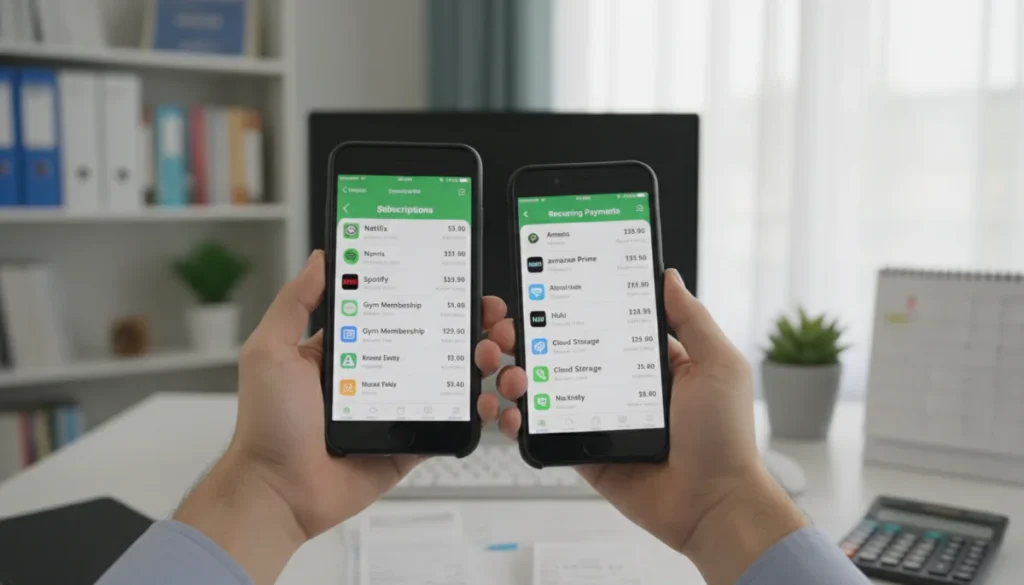
Effectively managing recurring app subscriptions on Android and iPhone is crucial for controlling digital spending and ensuring you only pay for services you actively use, requiring regular review of your active plans.
In an increasingly digital world, it’s easy to accumulate numerous app subscriptions without realizing the cumulative cost. Learning how to review recurring app subscriptions on Android and iPhone is essential for financial well-being and digital decluttering. This guide will walk you through the necessary steps to take control of your digital spending, ensuring you only pay for what you truly value and use.
Understanding Your Digital Spending Habits
Before diving into the technical steps of managing subscriptions, it’s vital to understand your digital spending habits. Many users sign up for free trials, forget to cancel, or simply accumulate subscriptions over time without a clear overview. This section will help you identify common pitfalls and develop a mindful approach to app usage and associated costs.
One of the primary reasons subscriptions go unnoticed is the ease of signing up. A few taps can grant access to premium features, often with an introductory offer. While convenient, this can lead to a significant drain on your finances if not regularly monitored. Recognizing this pattern is the first step towards better financial management.
The Hidden Costs of Convenience
The convenience of one-tap subscriptions often masks the long-term financial implications. Many apps offer monthly or annual plans, and while individual costs might seem small, they quickly add up. Understanding these hidden costs is crucial.
- Trial Period Expiry: Many subscriptions automatically convert to paid plans after a free trial, often without explicit reminders.
- Infrequent Usage: Subscribing to an app for a specific project or short-term need and then forgetting to cancel it.
- Multiple Platforms: Managing subscriptions across various devices (phone, tablet, computer) can make tracking difficult.
By becoming more aware of how and why you subscribe, you can proactively prevent unnecessary charges. This awareness extends beyond just the financial aspect; it also encourages you to evaluate the true value and utility each app brings to your daily life.
Taking the time to reflect on your app usage and subscription patterns empowers you to make informed decisions. This proactive approach helps you identify services that no longer serve a purpose, ultimately saving you money and reducing digital clutter.
How to Review Recurring App Subscriptions on iPhone
For iPhone users, managing subscriptions is streamlined through the App Store settings. Apple has centralized this process, making it relatively straightforward to see what you’re paying for and to make changes. This section will guide you through the exact steps to access and manage your subscriptions on an iOS device.
The key to successful subscription management on iPhone lies within your Apple ID settings. By following a few simple steps, you can gain a clear overview of all active and expired subscriptions linked to your account, providing transparency and control over your spending.
Accessing Subscriptions on iOS
To begin reviewing your subscriptions on an iPhone, you’ll need to navigate through your device’s settings. This process is consistent across most iOS versions, ensuring a familiar experience for all users.
- Open the Settings app on your iPhone.
- Tap on your name at the very top of the Settings menu to access your Apple ID, iCloud, Media & Purchases settings.
- Select Subscriptions. You might be asked to authenticate with Face ID, Touch ID, or your passcode.
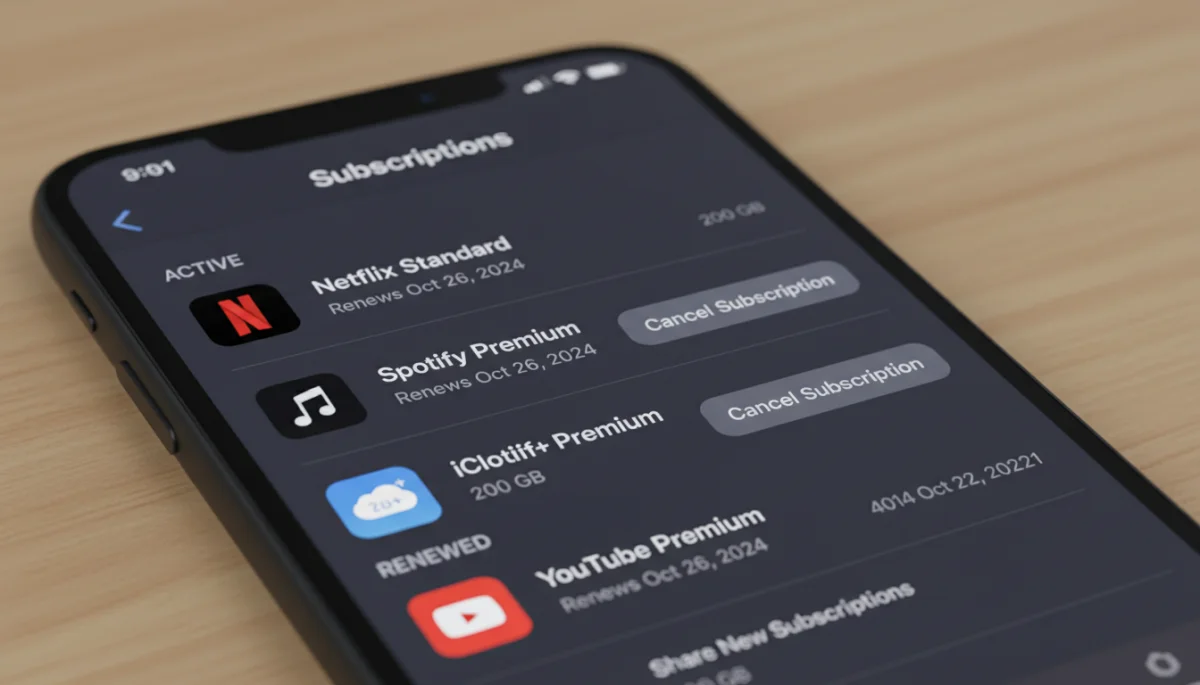
Once you are in the Subscriptions section, you will see a list of all your active and expired subscriptions. This centralized view is incredibly useful for identifying any services you might have forgotten about or no longer wish to pay for. Each subscription will display its renewal date and cost, giving you all the necessary information at a glance.
Reviewing this list regularly is a healthy habit that can prevent unwanted charges. It’s an opportunity to evaluate each service and decide if it still provides value proportionate to its cost. This direct access simplifies the process of making informed financial decisions regarding your apps.
Managing Your iPhone Subscriptions
Once you’ve accessed your list of subscriptions on your iPhone, the next step is to manage them effectively. This includes options to cancel, change plans, or even resubscribe to services. Understanding these options will help you maintain full control over your digital expenditures.
Apple provides clear controls within the subscription management interface, allowing you to take immediate action on any subscription. Whether you want to downgrade a plan, upgrade it, or simply stop paying for it altogether, the tools are readily available.
Canceling and Modifying Plans
Canceling a subscription on iPhone is a straightforward process designed to be user-friendly. When you tap on a specific subscription from your list, you’ll be presented with detailed information and various actions you can take.
- Tap on the specific subscription you wish to manage.
- You will see options such as ‘Cancel Subscription’, ‘See All Plans’, or ‘Choose a Different Plan’.
- If you choose to cancel, confirm your decision. The subscription will remain active until the end of its current billing period.
It’s important to note that canceling a subscription does not always mean immediate termination of service. In most cases, you will retain access to the premium features until the end of the current billing cycle, ensuring you get what you’ve paid for. This also gives you a grace period to reconsider if you change your mind.
Regularly reviewing and actively managing these subscriptions can lead to significant savings over time. It’s a simple habit that puts you in the driver’s seat of your digital consumption and ensures your money is spent wisely on services you genuinely use and appreciate.
How to Review Recurring App Subscriptions on Android
Android users manage their app subscriptions primarily through the Google Play Store. Similar to Apple, Google has centralized this functionality, making it easy to keep track of your active services and adjust them as needed. This section will detail the process for Android devices.
The Google Play Store acts as the central hub for all your app-related purchases and subscriptions on Android. Knowing where to look and what steps to follow will empower you to efficiently oversee your recurring payments and maintain financial control.
Accessing Subscriptions on Android
To begin reviewing your subscriptions on an Android device, you’ll need to open the Google Play Store app. The interface is designed to be intuitive, guiding you to the relevant sections with minimal effort.
- Open the Google Play Store app on your Android phone or tablet.
- Tap on your profile icon (usually in the top right corner).
- From the menu, select Payments & subscriptions.
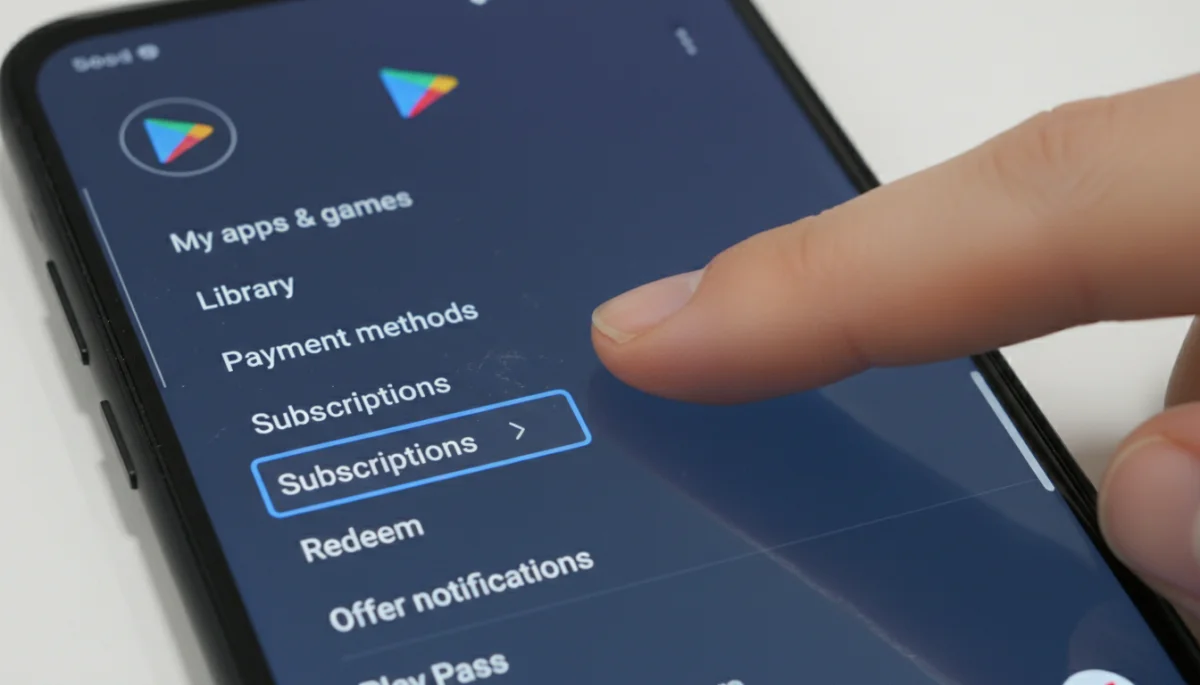
- Tap on Subscriptions.
Once you’re in the Subscriptions section, you will see a list of all your active subscriptions linked to your Google account. This view provides essential details such as the app name, the amount charged, and the next billing date. It’s a comprehensive overview that helps you identify and manage your digital commitments.
This centralized list is invaluable for anyone looking to understand their recurring expenses. It allows for quick identification of services that might be redundant or no longer needed, facilitating a more economical approach to app usage. Regular checks can lead to significant savings and a clearer financial picture.
Managing Your Android Subscriptions
After accessing your subscriptions list in the Google Play Store, managing them is the next logical step. Android offers clear options for canceling, pausing, or even resubscribing to services, giving you flexibility and control over your digital budget.
Google’s management tools are designed to be user-friendly, ensuring that you can easily modify your subscription status. This flexibility is key to adapting your app portfolio to your changing needs and preferences without unnecessary hassle.
Canceling and Pausing Plans on Android
Managing individual subscriptions on Android is a straightforward process. When you select a specific subscription from your list, you’ll be presented with various actions you can take.
- Tap on the subscription you want to manage.
- You’ll see options like ‘Cancel subscription’, ‘Pause subscription’, or ‘Resubscribe’.
- Follow the on-screen prompts to confirm your action. If canceling, you might be asked for a reason.
The ‘Pause subscription’ option is particularly useful if you anticipate needing a service again in the future but want to temporarily halt payments. This can be a great way to save money during periods of infrequent use without fully committing to a cancellation. When you cancel, the service usually remains active until the end of the current billing cycle, similar to iOS.
By actively using these management features, you can ensure that your recurring app expenditures align with your current needs and financial goals. It’s a proactive measure that saves money and prevents you from paying for services you no longer use or want.
Best Practices for Subscription Management
Beyond knowing how to review recurring app subscriptions on Android and iPhone, adopting best practices for overall subscription management can significantly enhance your financial health. These practices involve regular checks, utilizing available tools, and making informed decisions about each service.
Effective subscription management is not a one-time task but an ongoing process. By integrating these habits into your routine, you can ensure that your digital spending remains under control and that you’re always getting value for your money.
Developing Smart Habits
Cultivating smart habits around your app subscriptions can prevent overspending and digital clutter. It’s about being intentional with your choices and proactive in your management.
- Monthly Review: Set a recurring reminder to check all your active subscriptions on both platforms.
- Audit App Usage: Regularly assess if you are still actively using the apps you are subscribed to.
- Utilize Free Trials Wisely: Be mindful of trial expiry dates and set reminders to cancel if you don’t intend to continue.
Consider using third-party financial tracking apps or budgeting tools that can aggregate all your subscriptions from various sources. These tools often provide a holistic view of your recurring expenses, making it easier to spot unnecessary charges across different platforms and services.
Another excellent practice is to be cautious about linking your primary payment methods directly to every app. Using virtual cards or dedicated payment services for subscriptions can add an extra layer of control and security, allowing you to easily block payments if needed.
By implementing these best practices, you transform subscription management from a reactive chore into a proactive strategy. This approach not only saves you money but also fosters a healthier relationship with your digital tools, ensuring they serve your needs without becoming financial burdens.
| Key Point | Brief Description |
|---|---|
| iPhone Subscription Review | Access via Settings > Apple ID > Subscriptions to view and manage all active plans. |
| Android Subscription Review | Manage through Google Play Store > Profile Icon > Payments & subscriptions. |
| Cancellation Process | Both platforms allow cancellation, with service often continuing until the current billing cycle ends. |
| Best Practices | Regular monthly reviews, auditing app usage, and wise free trial management are essential. |
Frequently Asked Questions About App Subscriptions
It is highly recommended to review your app subscriptions at least once a month. This regular check helps you stay informed about recurring charges, identify unused services, and prevent unwanted expenses from accumulating over time. Setting a monthly reminder can be very effective.
Refund policies vary by platform (Apple App Store, Google Play Store) and developer. Generally, you can request a refund, especially if the renewal was recent and you haven’t used the service. Contact Apple Support or Google Play Support directly for assistance with refund requests.
When you cancel a subscription, access to the premium features usually continues until the end of the current billing period for which you have already paid. You will not be charged again for that specific subscription after the current cycle concludes.
Yes, several third-party apps like Mint, Rocket Money (formerly Truebill), or Bobby (for iOS) can help you track and manage your subscriptions across various platforms and services. These apps often provide a consolidated view of your recurring expenses, simplifying financial oversight.
If you can’t find a subscription in your phone’s settings, it might be billed directly through the app developer’s website rather than through the App Store or Google Play. Check your email for receipts or contact the app’s support directly to manage those subscriptions.
Conclusion
Mastering how to review recurring app subscriptions on Android and iPhone is more than just a technical skill; it’s a vital component of modern financial literacy. In an era where digital services are seamlessly integrated into our daily lives, the cumulative cost of forgotten or unused subscriptions can significantly impact your budget. By regularly checking your active subscriptions on both iOS and Android platforms, you empower yourself to make informed decisions, eliminate unnecessary expenses, and ensure that your hard-earned money is only going towards services that genuinely add value to your life. The tools are readily available; it’s up to you to utilize them consistently for a healthier financial future and a clutter-free digital experience. Embrace the habit of proactive subscription management, and you’ll undoubtedly see the benefits in both your wallet and your peace of mind.
